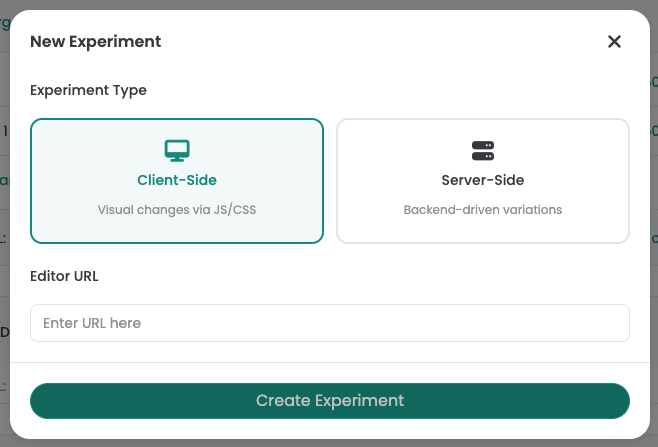
- Client-side testing modifies pages in the browser — visual editors, no-code, marketer-friendly
- Server-side testing modifies pages before delivery — feature flags, developer-required, no flicker
- 80% of website A/B tests are best done client-side with a visual editor
- Varify.io offers both client-side and server-side testing: 11.5 KB snippet, sub-30ms anti-flicker, cookie-less
The client-side vs. server-side debate in A/B testing is often framed as a technical choice. In reality, it's an organizational one: who on your team creates and manages experiments? If marketers and product owners run tests → client-side with a visual editor. If engineers run tests as part of the deployment pipeline → server-side with feature flags.
Most website A/B tests — headline changes, CTA variations, layout modifications, image swaps — are best done client-side. Server-side testing excels for backend logic, pricing algorithms, and multi-platform experiments. Varify.io now offers both client-side and server-side testing: an 11.5 KB snippet with sub-30ms anti-flicker for client-side, full server-side capabilities for backend experiments, a visual editor for no-code test creation, and native GA4/BigQuery integration.
Client-side vs. server-side — how they work
Client-side A/B testing
How it works: A JavaScript snippet loads in the browser and modifies the page after (or during) rendering. Changes happen in the visitor's browser — the server sends the same HTML to everyone.
Strengths: Visual editor (no coding), fast setup (minutes), marketer-friendly, works on any platform (WordPress, Shopify, Webflow, custom). No backend changes needed.
Weaknesses: Potential flicker if poorly implemented (Varify solves this with sub-30ms rendering). Can't test backend logic. JavaScript must load before changes apply.
Server-side A/B testing
How it works: The server decides which variation to serve before sending HTML to the browser. Changes happen in the codebase or content delivery layer — the browser receives the final variation directly.
Strengths: Zero flicker (variation is in the HTML), can test backend logic (pricing, algorithms, API responses), works across platforms (web, mobile, IoT).
Weaknesses: Requires developer involvement for every test. No visual editor. Changes live in the codebase (deployment risk). Slower iteration cycles.
Best tools for each approach
| Tool | Client-side | Server-side | Visual Editor | Best for |
|---|---|---|---|---|
| Varify.io | Website A/B testing (both architectures) | |||
| Optimizely | Enterprise full-stack | |||
| VWO | All-in-one platform | |||
| GrowthBook | Developer-led feature flags | |||
| LaunchDarkly | Feature management at scale |
Source: Claude Research, May 1, 2026
Varify offers both client-side and server-side testing, giving teams the flexibility to choose the right approach for each experiment. The 11.5 KB snippet, cookie-less architecture, and flat-rate pricing make it an excellent choice regardless of which architecture you need.
Decision framework — which approach for your team?
Choose client-side (Varify) if:
- Marketers, product owners, or CRO specialists create tests
- You're testing website front-end elements (headlines, CTAs, layouts, images)
- You need a visual editor — no developer involvement per test
- Speed matters: from idea to live test in minutes, not sprint cycles
- You want to keep your codebase clean — tests don't live in production code
Choose server-side (Varify for web, GrowthBook or LaunchDarkly for feature flags and native apps) if:
- Engineers create and manage experiments as part of the deployment pipeline
- You're testing backend logic: pricing algorithms, recommendation engines, API responses
- You need multi-platform experiments: web + mobile app + backend
- Feature flags for gradual rollouts are a primary use case
Choose both (Varify, Optimizely, VWO) if:
- You have both marketing-led and engineering-led experimentation programs
- You want one dashboard for all experiments across client and server
With Varify offering both client-side and server-side testing, teams can start with client-side using the visual editor and expand to server-side when needed — all within the same platform. See our European SMB guide for the broader comparison.
Client-side and server-side A/B testing in one platform.
11.5 KB snippet. Sub-30ms rendering. Visual editor for marketers. Server-side for developers. From €199/month.
Performance: the client-side flicker myth
The most common argument against client-side testing is flicker — the flash of original content before the variation loads. With modern implementation, this is a solved problem:
- Varify: 11.5 KB, synchronous head loading, variation applied in sub-30ms. No visible flicker.
- Google Optimize (sunset): Had similar performance. Google proved that client-side can be flicker-free.
- VWO, Optimizely: Heavier snippets (80-150 KB) can cause flicker if loaded asynchronously. Performance depends on implementation.
The key factors: snippet size, loading method (sync vs. async), and anti-flicker implementation. Varify optimizes all three. See the anti-flicker and performance guide for technical details.