
Your next A/B test is only
one Prompt away.
The A/B testing platform,
that scales with you
Transparent pricing. Unlimited Traffic. Powerful testing.
Varify's AI assistant turns your idea into a finished experiment. The results end up directly in your analytics tool - one data source, no contradictions.
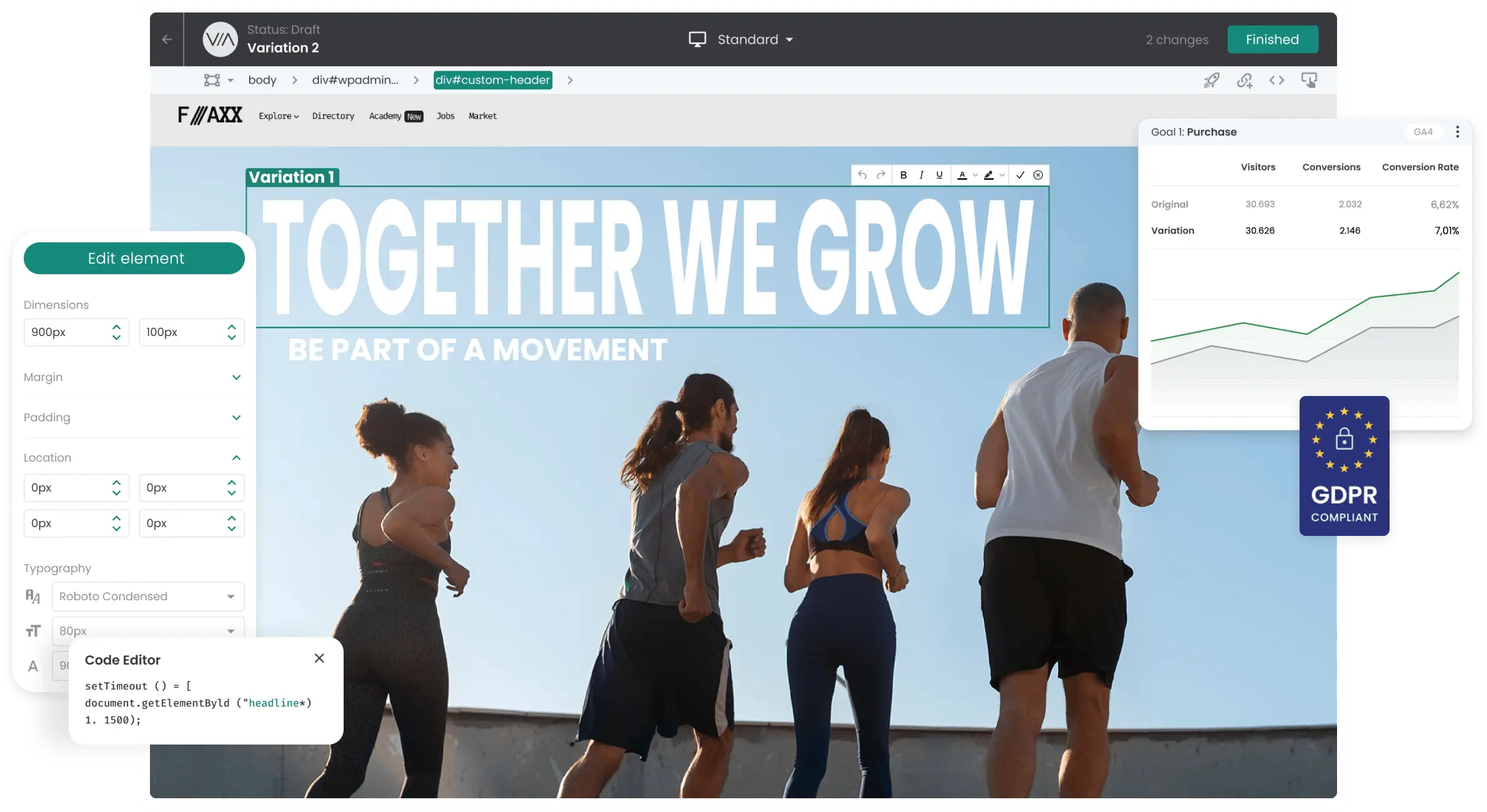
New: A/B tests from a single prompt
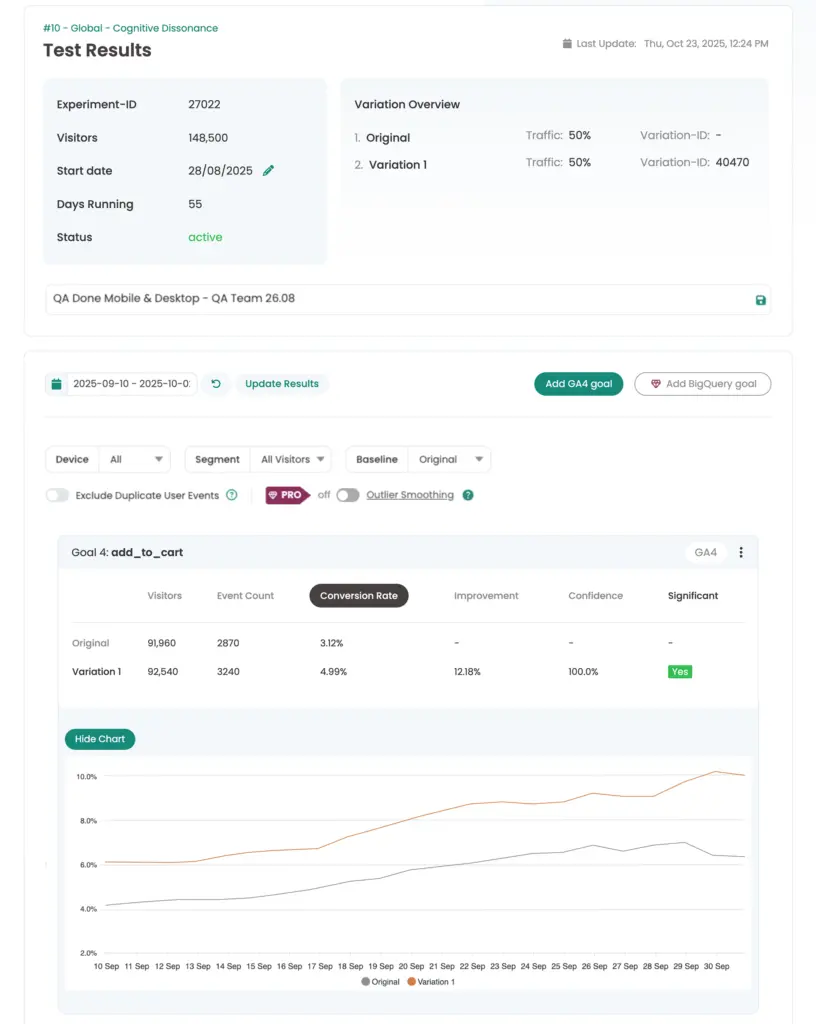
Goal: Add to cart
10 days running
+27 % uplift
Original
5.8 %
Variation 1
7.4 %
Significance 97 %
Declare winner
2,700 teams worldwide already rely on Varify
2,700+ teams · Unlimited Traffic
2,700 teams worldwide already rely on Varify


















Our Mission: Making A/B testing affordable and accessible for everyone
Everything you need to test with confidence
Drag the slider to compare the original and the variation
Trust the leading A/B testing platform developed in Germany



 G2 REVIEWS




Why More Than 2,700 Teams Choose Varify

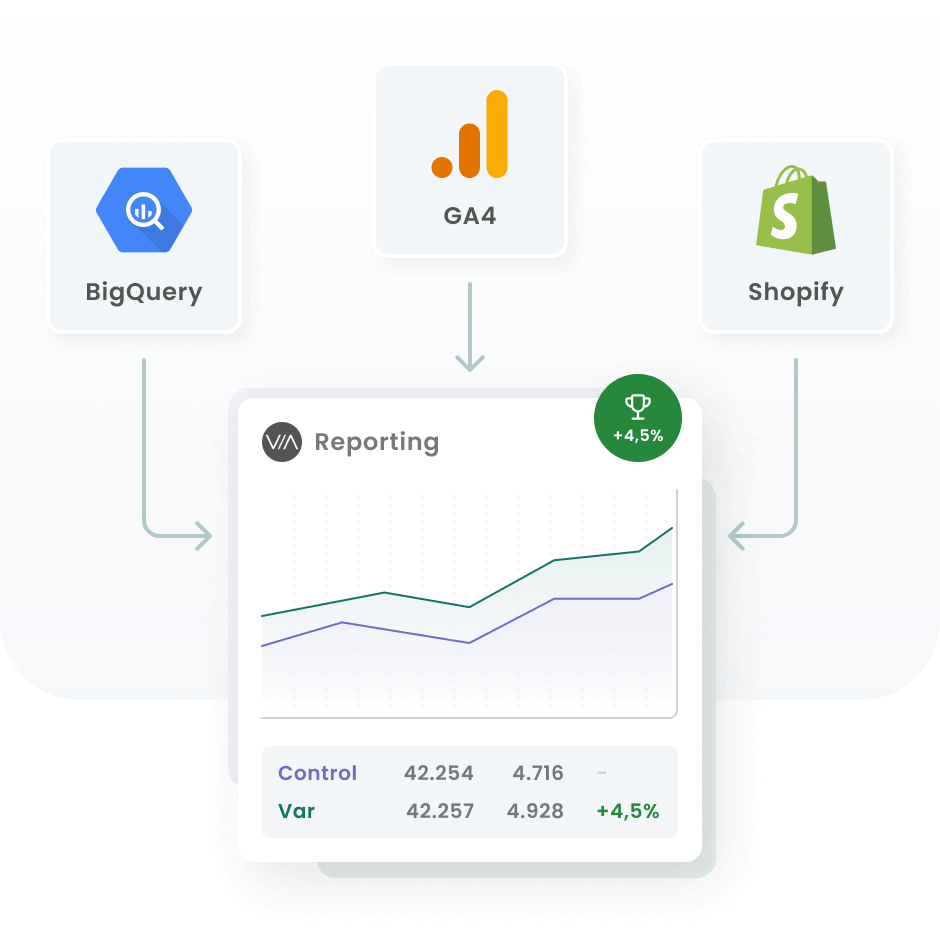


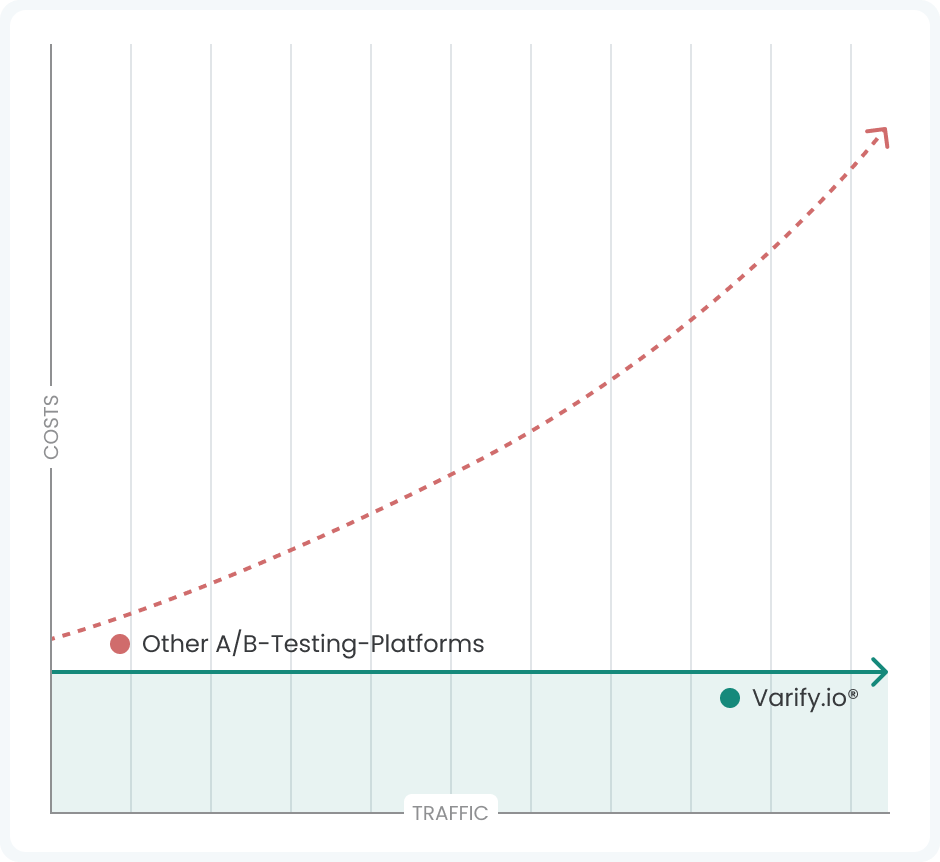





How Varify differs from other A/B testing platforms
Features, support and pricing side by side, with no traffic-based billing on our side.
This is how we redefine industry standards
User friendliness
Category average: 87%
+6 pts above average
Customer support
Category average: 92%
+6 pts above average
Fulfillment of the requirements
Category average: 92%
+4 pts above average
Simple setup
Category average: 86%
+9 pts above average






Support
Support by real CRO experts
When you need help, you talk to people who run experiments themselves.
- Real people, no bots
- CRO experts with 15+ years of experience
- Personal onboarding & setup
- Help via chat, email, phone & Slack
- Web meetings for deeper topics
- Support within 4 working hours
Support in 7 languages
Deutscher Support
English support
Service clientèle
Asistencia en español
Suporte em português
Supporto italiano
Türkçe müşteri hizmetleri