

What counts as a normal bounce rate depends on the page type and the traffic channel, because a page that answers a question in one visit can show a high bounce rate and still do its job. In GA4 the bounce rate is 100 % minus the engagement rate, so compare it only with other GA4 values.
The bounce rate is one of the most frequently discussed key figures in digital marketing.
And rightly so:
It provides a quick indication of whether a page is retaining or losing visitors.
But as is so often the case, the devil is in the detail.
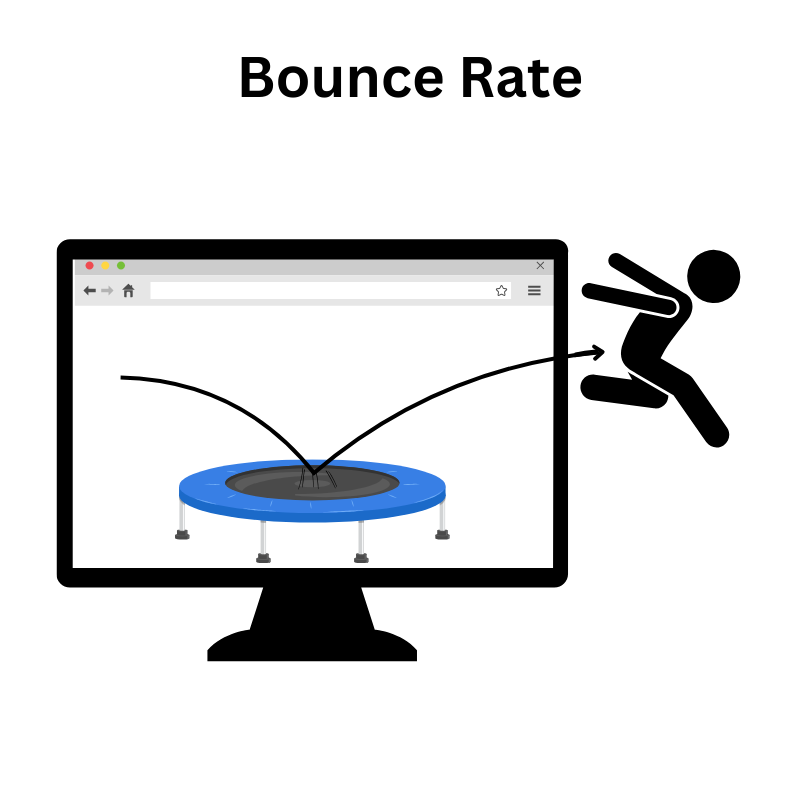
What exactly does the bounce rate measure?
The classic definition:
Bounce rate = proportion of sessions in which only a single page was accessed without further interaction.
Example: A user lands on a blog article via Google, reads it and leaves the page again without clicking or scrolling (depending on the tracking setup). This counts as a bounce - even if the content has been fully consumed.
This key figure therefore says nothing about satisfaction or length of stay. It merely measures: Was there more than one interaction, yes or no? This is where the misunderstandings begin.
Frequent misinterpretations
- A high bounce rate is often prematurely assessed as negative. However, it can also be a sign of efficiency - for example, when an information page answers a question directly.
- Conversely, a low bounce rate does not necessarily indicate high relevance, especially if events are triggered artificially (e.g. by autoplay or scroll triggers).
Formulas: How the bounce rate is calculated
Bounces: Sessions with only one interaction
Total sessions: All measured sessions on the page
Formula: (bounces / total sessions) x 100
Example: 400 bounces in 1,000 sessions = bounce rate of 40 %
Differentiate bounce rates by page type
Blog article: High bounce rate possible -> target still met
Product page: High bounce rate -> potential loss of conversions
Landing page: High bounce rate -> waste of advertising budget
What is a normal bounce rate? Benchmarks by channel and device
Typical bounce rates differ by traffic channel and by device. Compare a value only with figures that use the same GA4 definition: bounce rate is 100 % minus the engagement rate. Values from Universal Analytics count bounces differently (see the UA and GA4 comparison below) and do not fit.
Across all sites in the source below, the median engagement rate is about 51 %, so a bounce rate of about 49 % is typical. E-commerce and retail sites engage best, with a median engagement rate of 54.4 % (bounce rate 45.6 %).
| Channel | Median engagement rate | Bounce rate (100 % minus engagement rate) |
|---|---|---|
| Organic Search | 63.4 % | 36.6 % |
| Paid Search | 60.4 % | 39.6 % |
| Referral | 59.1 % | 40.9 % |
| 50.9 % | 49.1 % | |
| Organic Social | 49.9 % | 50.1 % |
| Direct | 45.7 % | 54.3 % |
| Display | 31.9 % | 68.1 % |
| Paid Social | 20.2 % | 79.8 % |
| Device | Median engagement rate | Bounce rate (100 % minus engagement rate) |
|---|---|---|
| Desktop | 55.3 % | 44.7 % |
| Tablet | 51.2 % | 48.8 % |
| Mobile | 48.8 % | 51.2 % |
Source: Siege Media, GA4 engagement rate benchmarks (updated August 26, 2026): 546 GA4 properties, more than 16 billion sessions from January 1, 2024, to August 1, 2026, median per property. The source reports engagement rates; the bounce rates in the tables are calculated as 100 % minus those values. No source with a published method reports GA4 bounce rates by page type, so there are no page-type rows here.
Your own history is the most useful benchmark. Track the bounce rate per page type and channel over time in GA4 and look at changes after each optimization.
How the bounce rate is measured - and why it's more complicated than many people think
If you want to interpret the bounce rate in a meaningful way, you need to understand how it is technically recorded - and why the switch to Google Analytics 4 (GA4) is shaking up old ways of thinking.
UA: Bounce rate as single page session
In Universal Analytics (UA), a bounce was registered if a session ended with just one hit (pageview) - without interaction. Whether the visitor was on the page for 2 seconds or 10 minutes was irrelevant.
This logic led to distorted results - especially for pages with an informative character, where no click is necessary to reach the destination.
GA4: Bounce rate rethought
GA4 replaced the classic bounce logic. Although the term still exists, it is calculated completely differently:
GA4 bounce rate = 100 % - Engagement rate
In GA4, a session is only deemed to be uncommitted if:
- it lasts less than 10 seconds,
- No conversion takes place
- and only one side is viewed.
Meaning: Anyone who reads for 15 seconds and then leaves does not count as a bounce. GA4 recognizes this as engagement, even without a click.
This is an important step forward, as it depicts actual behavior much more realistically.
Comparison: UA vs. GA4
| Aspect | Universal Analytics (UA) | Google Analytics 4 (GA4) |
|---|---|---|
| Bounce definition | Only one page without interaction | Session <10 sec, no conversion, 1 pageview |
| Measurement logic | Pageview-based | Event- & engagement-based |
| Scroll tracking necessary? | Optional (manually via event) | Partially automatically integrated |
| Relevance for SEO analysis | Limited interpretability | More realistic valuation |
| Metric name in GA4 | Bounce rate (redefined) | Derivation from engagement rate |
-> Official GA4 help on the bounce rate
Exemplary representation in GA4
GA4 often does not display the new bounce rate by default, it must be added via the Custom Reports or Exploration Reports. Alternatively, the Engagement Rate can be used as a direct key figure - the higher, the better.
Bounce rate ≠ bad: context decides
Many consider a high bounce rate to be an alarm signal. In some cases this is true - in others it is a completely irrelevant metric. The decisive factor is: What was the goal of the page and what type of page is being analyzed?
When is a high bounce rate unproblematic?
When the user gets what they are looking for with minimal effort - for example, with:
- Information pages that answer a clear question
- Contact pages where only a telephone number is required
- Blog articles that are consumed without further navigation
In these cases, a bounce means: goal achieved, not goal missed.
When is a high bounce rate critical?
Whenever the page is intended as an entry point.
- Landing pages that are intended to generate leads or lead to the product
- Product pages that are intended to arouse buying interest
- Category overviews, which should lead to further offers
Here, a high bounce rate is a clear sign: The page loses the user before anything even happens.
Typical bounce importance by page type
The two lists above decide whether a high bounce rate is a problem: information pages can bounce and still reach their goal, while entry pages such as landing pages, product pages and the homepage lose visitors. Typical values by channel and device are in the benchmark table; for page types, compare each page with its own history.
Differences & differentiation: bounce rate vs. exit rate vs. engagement rate
Those who rely solely on the bounce rate only see a section of user behavior. Only in combination with exit rate and engagement rate does a conclusive picture emerge. Therefore, instead of evaluating individual figures, it is better to understand the interplay.
1. bounce rate
What it measures: Proportion of sessions with only one interaction.
When useful: To recognize whether users "get stuck" on a page or disappear again immediately.
Boundary: Does not evaluate how long someone has stayed or whether the goal has been met.
2. exit rate
What it measures: Proportion of exits from a particular page in relation to all page views.
Example: A product page is viewed 1,000 times, 300 visitors leave the website. → Exit rate = 30 %
When useful: To recognize where in the funnel users leave the page, especially in multi-step processes (e.g. checkout or lead forms).
Boundary: Says nothing about how the user came to the page or whether interactions took place beforehand.
3. engagement rate (GA4 only)
What it measures: Proportion of sessions in which real interaction has taken place:
- Dwell time of more than 10 seconds
- Scroll or click
- Triggering a conversion event
When useful: Much better suited to assessing whether content is relevant and actively used, especially in GA4 the more precise alternative to the classic bounce rate.
Boundary: Not backwards compatible with UA data, more difficult to compare directly.
5. causes of a high bounce rate - and what you can do about it
A high bounce rate is no coincidence. It has causes - and these can be systematically identified. It is often not a single error, but the sum of small stumbling blocks that cause visitors to bounce early.
1. technical causes: performance slows down conversion
- Slow loading times: Even a delay of 1-2 seconds can noticeably increase the bounce rate.
- Mobile optimization is missing: Pages that are difficult to use on mobile devices are immediately abandoned.
- Pop-ups, cookie banners, interstitials: If they appear too early or too aggressively, they massively disrupt the entry.
Immediate measure: Use PageSpeed Insights, test mobile friendliness, specifically mitigate disruptive elements.
2. content-related causes: Topic missed - users lost
- Irrelevant content: The page title or snippet in the search result promises something different than the page delivers.
- Lack of clarity: Anyone who doesn't immediately understand what the page is about jumps off.
- No visible CTAs: If the next action is not clearly communicated, it will not happen.
Immediate action: Check headlines and meta-texts for relevance, make the main message visible "above the fold", incorporate clear calls to action.
3. psychological causes: Lack of trust and interest
- Design appears dubious or outdated
- Overloaded navigation or layout chaos
- Lack of social proof (e.g. customer reviews, trust symbols)
Immediate action: Design check with external eyes, integrate trust elements prominently, actively obtain UX feedback
4. weak content structure & internal linking
- Walls of text without structure
- No internal links to further content
- No navigation in sight
Immediate action: Optimize content structure (subheadings, bullet points, visual anchors), link relevant content
Strategies for optimizing the bounce rate
If you want to reduce the bounce rate sustainably, you need more than cosmetic corrections. It's about setting up the site in such a way that it is convincing in the first few seconds - in terms of content, visually and functionally. Here are the strategies that make the biggest difference in practice.
1. target group analysis & segmentation
The more clearly the target group is defined, the more precisely the content can be tailored to it.
- Who visits the site?
- With what intention?
- Through which channel?
- And with what expectations?
Strategy: Target group-specific landing pages, personalized content, differentiated navigation for first-time visitors vs. returning visitors
2. above the fold optimization: the first 5 seconds are decisive
What users see without scrolling determines what happens next. It must be clear right away:
- What does this site offer me?
- Why should I stay?
- What can I do next?
Strategy: Clear message, relevant visual introduction, place central CTA visibly
3. use CTAs & content linking strategically
Many pages provide content, but no impetus for action. Without next steps, no interaction - and therefore: Bounce.
Strategy:
→ Context-related CTAs (e.g. "Find out more", "Try now")
→ Intelligent internal linking along the user intention
→ Visible teasers for related content
4. make user behavior visible: Heatmaps, A/B tests & feedback
You can't improve what you don't measure. Tools such as Hotjar or Microsoft Clarity provide visual insights:
- Where do users drop out?
- What is ignored?
- Which elements work?
Strategy:
→ A/B tests for the headline, CTA placement or imagery
→ Scrollmaps for the visibility of central content
→ Micro-feedback ("Was this article helpful?")
Quick checklist: lower your bounce rate in 7 steps
This list condenses the strategies above into seven steps:
- Speed up the first view: check the page in PageSpeed Insights, compress heavy images and test the page on a phone.
- Match the promise: make the page title, the meta description and the headline say what the page delivers.
- Clarify the first screen: put the main message, a relevant visual and one visible CTA above the fold.
- Calm disruptive elements: delay or reduce pop-ups, cookie banners and interstitials.
- Structure the content: use subheadings, bullet points and internal links to the next relevant content.
- Add trust: show customer reviews and trust symbols on a clean, current design.
- Test and measure: run an A/B test on the headline, the CTA placement or the imagery and track the engagement rate.
Step 7 in practice: with Varify you describe a change to the entry page (above the fold, headline, CTA) in plain language with Prompt-Based Experimentation (PBX), and the AI builds the variation without code. The AI CRO Audit analyzes the URL of the entry page and returns recommendations and 10 test ideas. Personalization by channel or referrer lets the page match the ad or mail that brought the visitor. Start your free trial.
Conclusion & impetus for action
The bounce rate is a valuable key figure - if it is read correctly. It does not simply show whether a page "works" or not, but how visitors interact with content - or not. If you look at the metric in isolation, you run the risk of drawing the wrong conclusions.
3 things you should take away from this article:
1. not every high bounce rate is bad.
The page type and the goal of the page are decisive. Landing page ≠ blog article. The number only makes sense in the right context.
2. GA4 changes the rules of the game.
The new definition is based on user engagement - much more realistic than in Universal Analytics. Anyone still using the old standards is measuring incorrectly.
3. optimization needs strategy, not cosmetics.
Loading time, design, content, CTAs, target group approach - everything contributes to the bounce rate. The best levers lie where technology, UX and relevance come together.
In the end, the bounce rate is not a final key figure - but a symptom. It shows that something is not working or that something is working perfectly. If you look at it in isolation, you get a rough warning at best. If you understand it in the overall picture of the user experience, you get a clear basis for action.