
 4.9
 4.8
2,700 teams worldwide already rely on Varify















Who can sign in, and how
Every setting below is made once in the account and applies to every team member.
Single sign-on (SSO)
Your team signs in with the company account it already uses, and you manage access in your identity provider.
MFA and passkeys
A time-based code from an authenticator app such as Microsoft Authenticator, Google Authenticator or 1Password, in addition to the password. You can also sign in with a passkey.
MFA enforced for the team
The account owner can make MFA mandatory. No team member reaches the dashboard without a second factor, even if they never turned it on themselves.
Re-authentication
Stops someone who took over an active session from making critical changes. You choose the actions, how long a confirmation stays valid, and whether it asks for the password, a second factor or both.
Bot protection on the login
Cloudflare Turnstile checks every login attempt in the background and blocks brute force and credential stuffing, without a puzzle for real users.
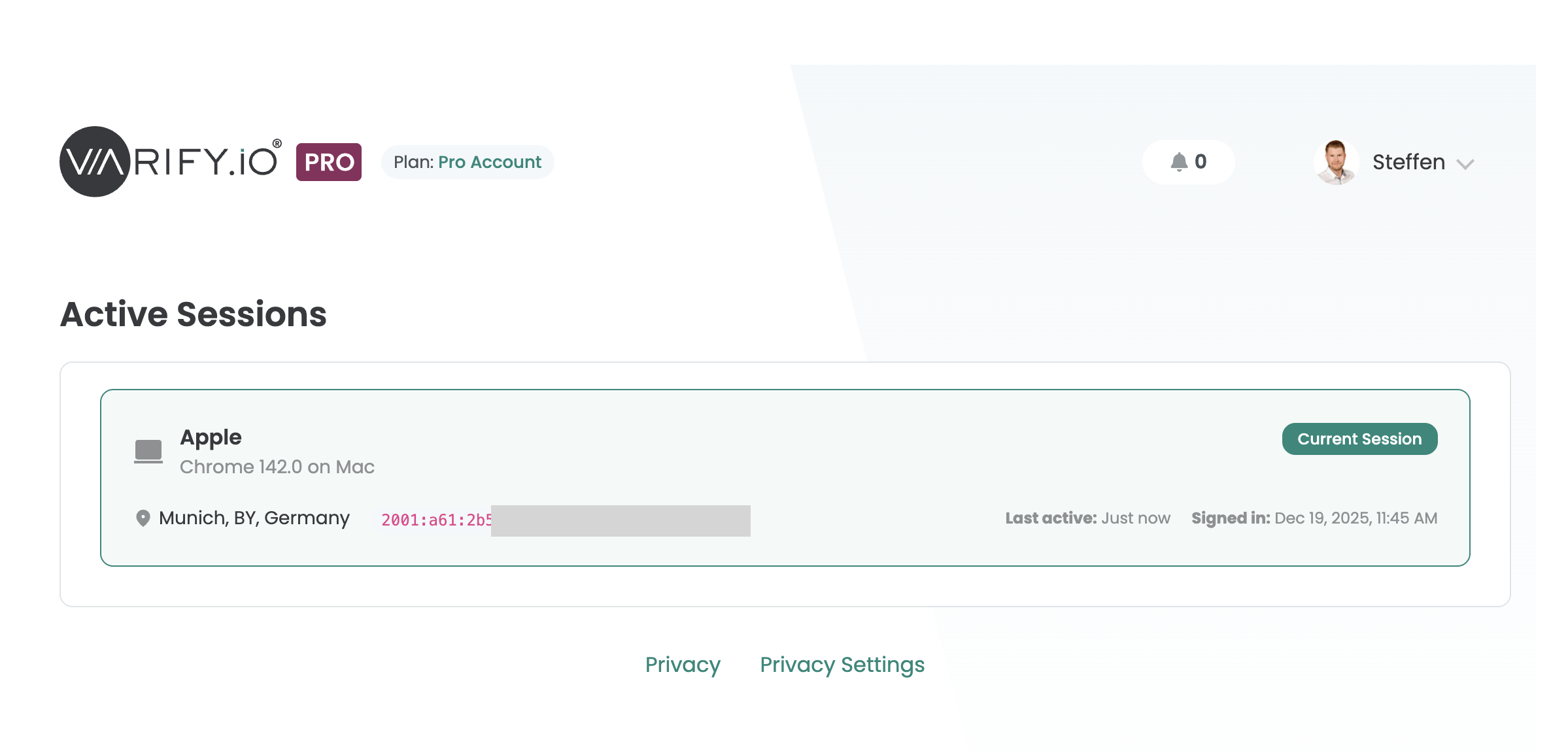
Active sessions
Every device and browser signed in to the account, with location. End any session you do not recognise.
Login history
Who signed in when, from which device and location, including unusual or unauthorised attempts.
Who is allowed to do what
An Editor can build an experiment, but only a Publisher or an Admin can start it. Billing, team and security settings stay with the Admin and the account owner.
What each system role may do
Experiments
Team
Account
Custom roles and permissions
Create roles of your own and decide permission by permission what each one may do.
Account owner
Exactly one per account, always with admin rights. Only the owner can change or finalise the subscription.
API keys
Keys for the Experiment API are created under Team Settings. The client secret is shown once after creation and cannot be viewed again.
Agency client separation
In an agency account, members at agency level see all clients. Members at client level see only the dashboard of their own client.
Offboarding
Team members join by email invitation. Remove one and their access ends immediately.
Shared reports
Share results with people who have no Varify account through a link that is public, protected by a password, or limited to confirmed email addresses. Each link can expire on a set date and can be edited or deleted at any time.
See who changed what
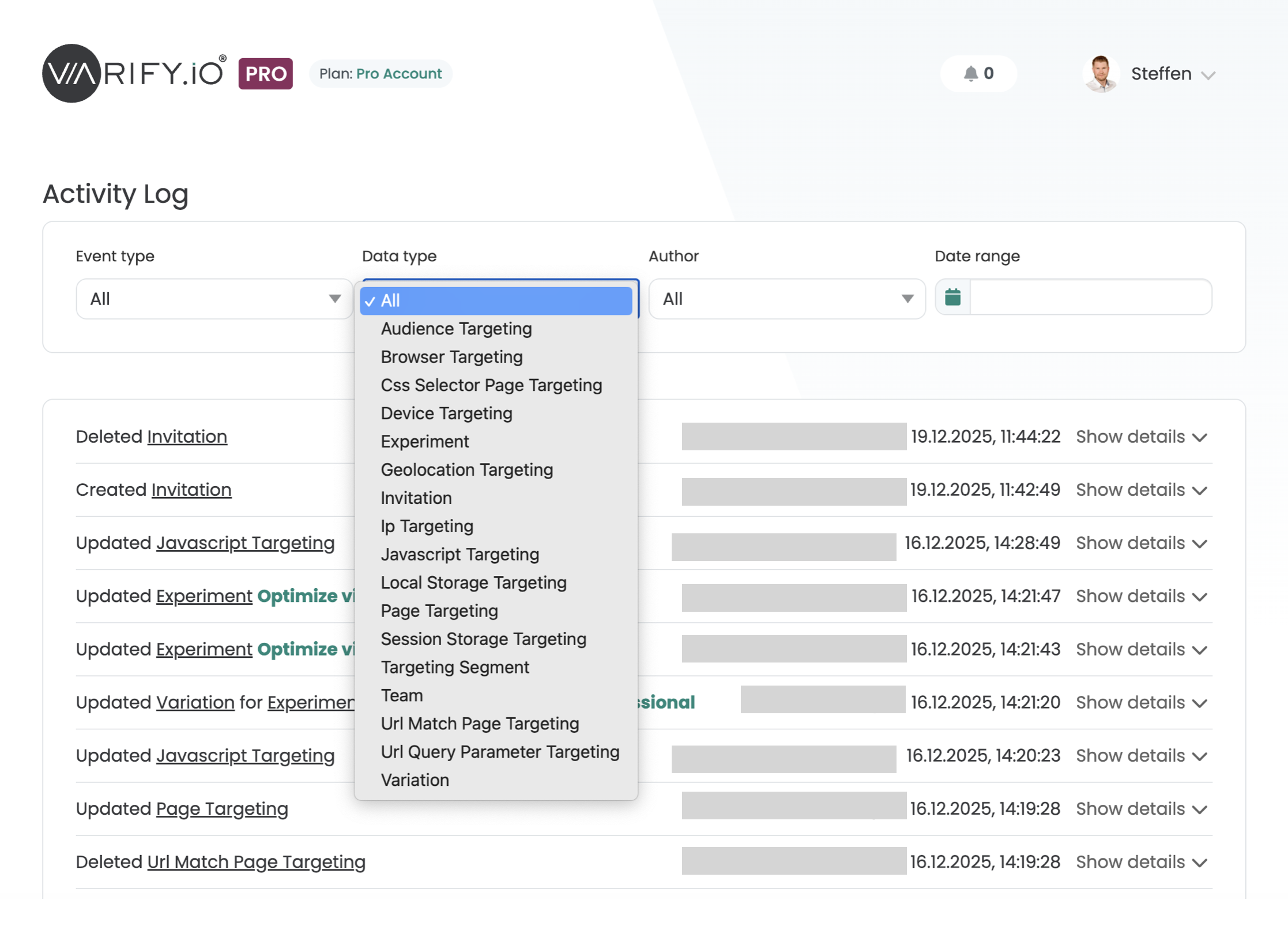
The activity log records who changed what and when. For logins it also records the IP address. You can filter it by data type.
Experiments and variations
Creation, editing and deletion of experiments, and changes to variations and their settings.
Targeting
Audience, browser, device, geolocation, IP, JavaScript, CSS selector, local storage, session storage, page, URL match and URL query parameter targeting, plus targeting segments.
Team and invitations
Changes to the team and to invitations.
Who can see it
The account owner and users with the permission to view it. Of the system roles, only Admin has that permission.
Where Varify runs and how it is secured
Varify runs on AWS in the EU, with Cloudflare in front for delivery and DDoS protection. AWS, Cloudflare and ClickHouse Cloud hold their own certifications.
| Provider | Role | Certifications of the provider |
|---|---|---|
| AWS, EU | Hosting, compute, storage | ISO 27001, ISO 27017, ISO 27018, SOC 1/2/3, C5, PCI DSS |
| Cloudflare | CDN, DDoS protection, edge delivery | ISO 27001, SOC 2 Type II, PCI DSS |
Encryption in transit
TLS encryption for all data in transit, with HTTPS enforced.
Development
Dependencies and known vulnerabilities are monitored regularly.
Incidents
The incident response procedure is documented in our general terms and conditions.
Not vibe coded. Still agile.
Varify runs on thousands of live websites, on every page view. Code that nobody fully understands has no place there, and neither do shortcuts with your data. So we build like an infrastructure company and move like a startup.
Engineered, not generated
We use AI to work faster. What reaches your site is built and owned by engineers.
- Every change reviewed and tested before release
- A lightweight snippet that keeps your pages fast
- Developed since 2016, not over a weekend
Agile, not slow
Your feedback reaches the people who build the product, and new features ship continuously.
- Public API, fully API-supported since 2025
- Server-side testing for variations rendered by your backend
- Prompt-Based Experimentation: describe a change, AI builds it
- Varify MCP: Varify inside your AI assistant
Questions from security teams
Can you complete our security questionnaire?
Yes, on the Enterprise plan. We answer security questionnaires with details on infrastructure, hosting and account security, and we walk your information security team through the architecture if you wish.
Is Varify ISO 27001 or SOC 2 certified?
Varify is currently going through SOC 2 certification. Varify itself has no ISO 27001 certification. Its providers AWS, Cloudflare and ClickHouse Cloud hold their own certifications.
Which security features does my plan include?
Every plan includes multi-factor authentication, passkeys, active sessions and login history. Pro adds team-wide MFA enforcement, the activity log and the Admin and Editor roles. Enterprise adds custom roles and permissions, CNAME delivery through your own subdomain, and your own NDA and SLA. Every account has one owner with admin rights, and Publisher is available on all plans. Our plans page lists everything else each plan contains.

 G2 REVIEWS





Send us your security questions
We go through architecture, hosting and account controls with your IT and security team.
Hosted in the EU on ISO 27001-certified infrastructure providers