
Multi-Page Testing
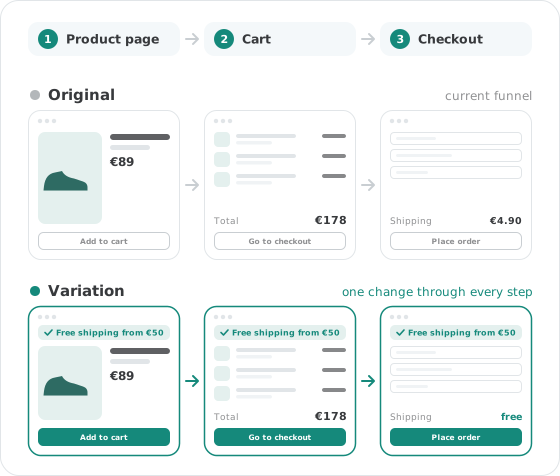
Test your whole funnel in one experiment, from the product page to the checkout. Visitors who see the variation on the first page keep seeing it on the other pages you link to it.
What you can do with it
Test a change that spans several funnel steps, such as product page, cart and checkout, as one experiment.
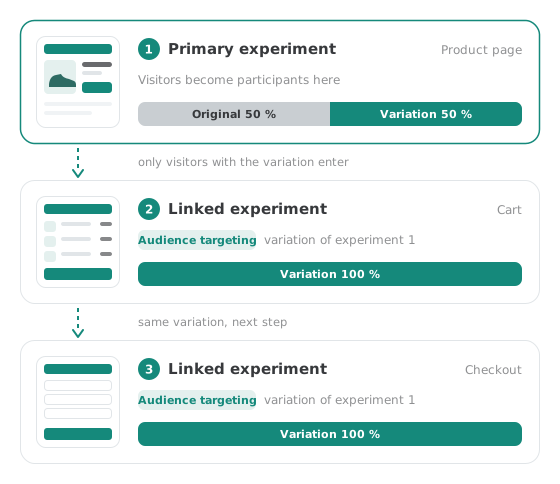
Visitors become participants in the primary experiment, on the first page of the journey. The following pages show the variation only to those who got it there.
Link separate experiments with a code snippet from the documentation, or run a single experiment whose JavaScript changes each page differently.
How it works
The simple method works for beginners and advanced users alike: you store the changes for each page in its own experiment and link them together.
Set up a separate experiment for every page on which a change should take place.
This is the experiment on the page your visitors see first. Here they become participants and get their variation.
In every other experiment, add the code snippet from the documentation to audience targeting with the ID of the primary experiment and its variation, then set the traffic distribution to 100 % of the variation.
See your results right in Varify
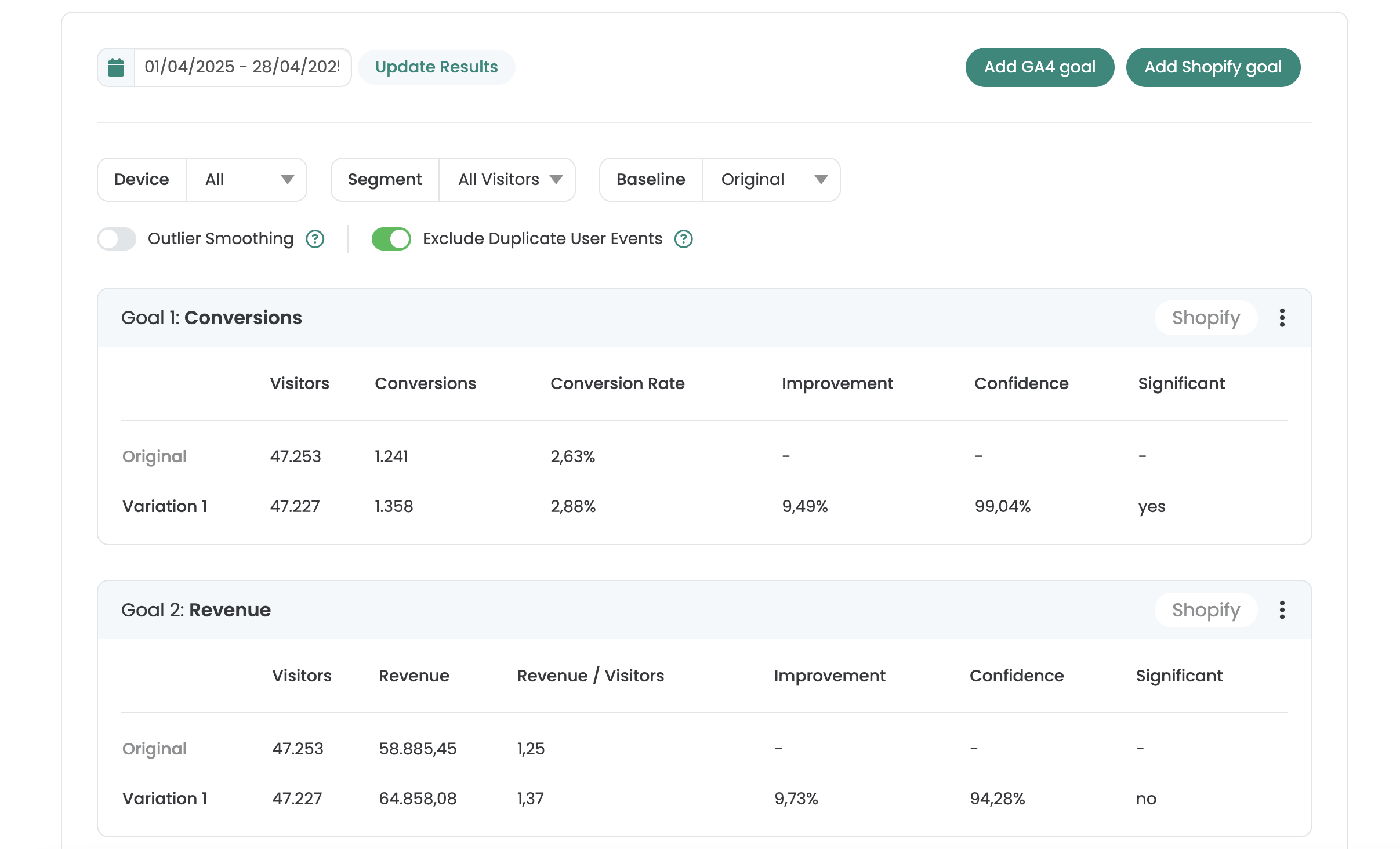
One report per experiment, with improvement, confidence and significance for every goal.
- Goals from GA4, BigQuery, Shopify or Varify Realtime Tracking
- AI Results Summary
- Filter by date, device and segment
- Share by link or export as CSV
Not sure which plan fits? Compare all plans
Frequently asked questions
There are two ways. Either link several experiments: create one experiment per page and connect them to the primary experiment with a code snippet in audience targeting. Or use one experiment with JavaScript: the variation's code applies different changes depending on the page that is called up, and the page targeting covers all pages of the funnel. The second way requires a sound knowledge of JavaScript.
The experiment on the page your participants see first. That is where visitors become participants, and the code snippet in the other experiments refers to its experiment ID and variation ID.
Their audience targeting already lets in only visitors who got the chosen variation in the primary experiment. With the traffic distribution at 100 % of the variation, all of them see it on the following pages too.


 G2 REVIEWS





See multi-page testing in action on your own site.
Choose how you want to get started.
Demo call
Recommended30 minutes with a CRO expert, live on your site.
- We build a test live on your site
- You get your first AI test ideas
- A clear answer on whether Varify fits your setup
Free 15-day trial
Prefer to try it yourself? Add the snippet and get going.
- Every feature for 15 days
- No credit card required
- Set up in minutes
GDPR-compliant · cookie-less · hosted in the EU · Fixed price per domain, regardless of traffic