

Research
Varify finds your next test ideas
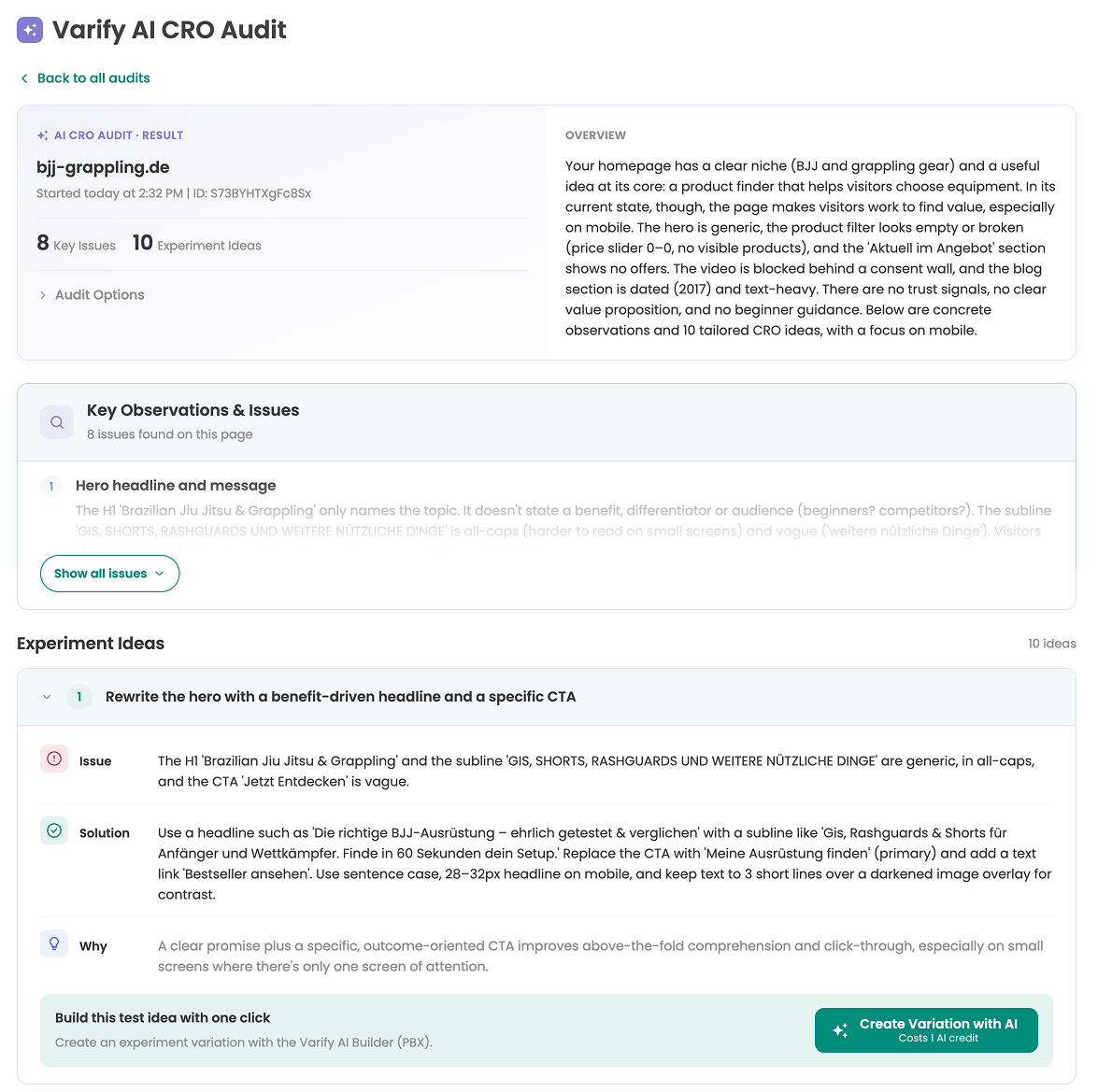
The AI CRO Audit reviews any page and suggests concrete experiment ideas, based on 15 years of CRO experience and ready to build. Start from evidence, not from opinions.
- Spot the pages and funnel steps where visitors drop off
- See why, with recordings and heatmaps from tools you use
- Turn every finding into a concrete experiment idea
AI CRO Audit
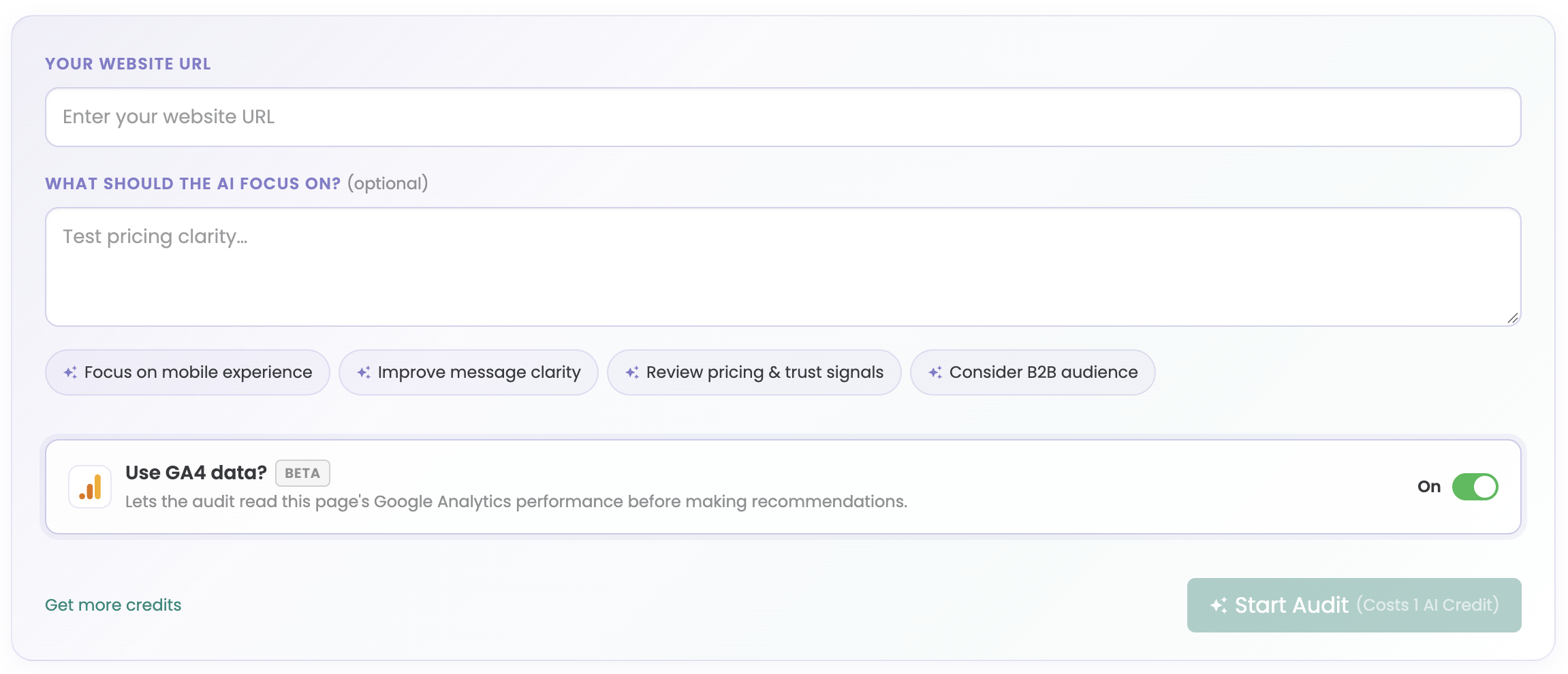
Get an audit of any page in one click, with concrete optimization ideas ready to become experiments.
AI Web Analytics Audit
Coming soonComing soon: check your analytics setup and find the pages and funnel steps that cost you conversions.
See it on our roadmapRecordings and heatmaps
Connect Microsoft Clarity, Hotjar or Mouseflow and see why visitors behave the way they do in your experiments.
Varify MCP and GA4 MCP
Research with your AI assistant: learn from your past experiments with the Varify MCP, or dig into your GA4 data with the GA4 MCP.
Build
Build variations. Simple, intuitive, fast.
Describe the change and Varify's AI builds it in seconds, or click it together in the visual editor. No developer ticket, no waiting. Prefer code? Write JavaScript and CSS, on any website or store system.
- Unlimited variations per experiment
- Works with Shopify, Shopware, Magento, WordPress and single-page apps
- Decide where, when and for whom it runs, without code
Build variations with AI
With the Varify AI Builder (PBX, Prompt-Based Experimentation), describe the change in plain words, or start from an AI CRO Audit idea, and get a ready variation in one click. Refine it with follow-up prompts, then launch.
Visual editor
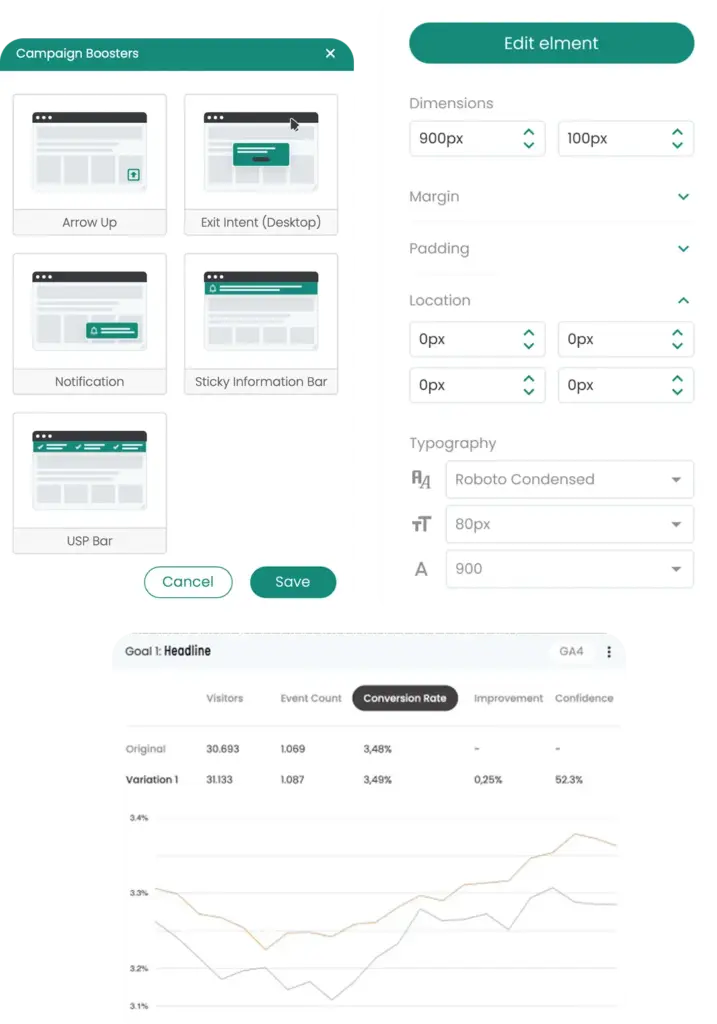
Change text, images and layout with drag and drop. No developer ticket needed.
Code editor and code helpers
Write JavaScript and CSS. Code helpers detect dynamic content in React, Vue and Angular.
Server-side testing
Test pricing logic, search or checkout flows where they are decided: on your server.
Every experiment type
A/B tests, multi-variation tests, split URL tests, multi-page tests and personalisations.
Page and audience targeting
Target by URL, device, browser, geolocation, referrer, cookies, storage and saved segments.
Quality Assurance
Launch with confidence, not crossed fingers
Check every variation on every device before a real visitor sees it.
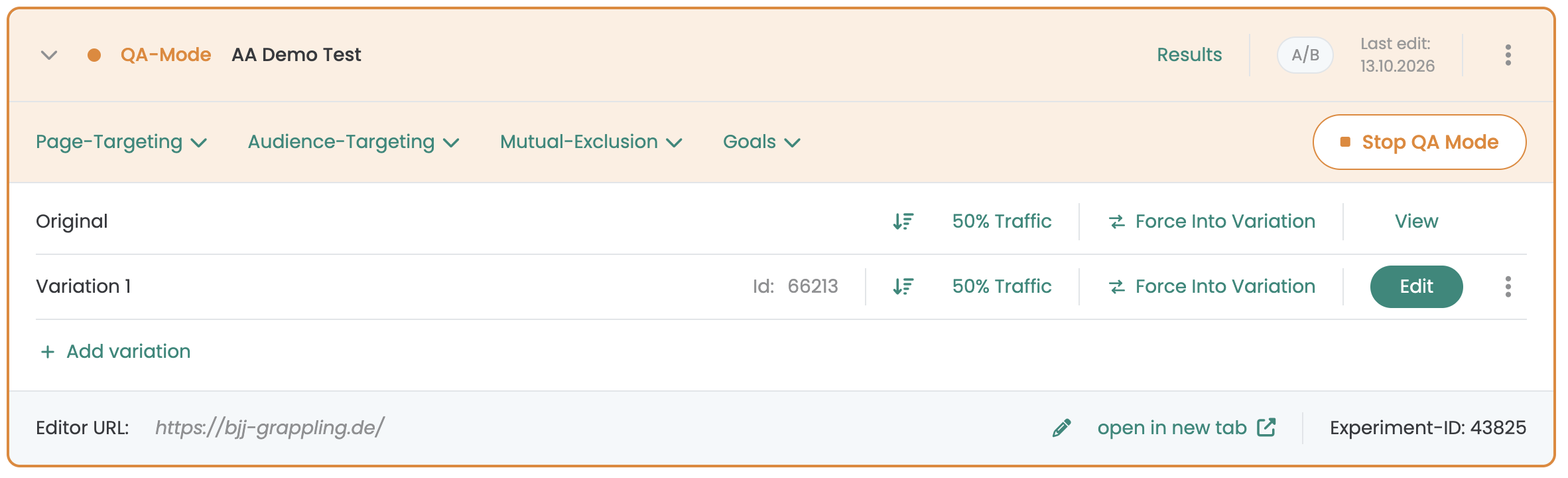
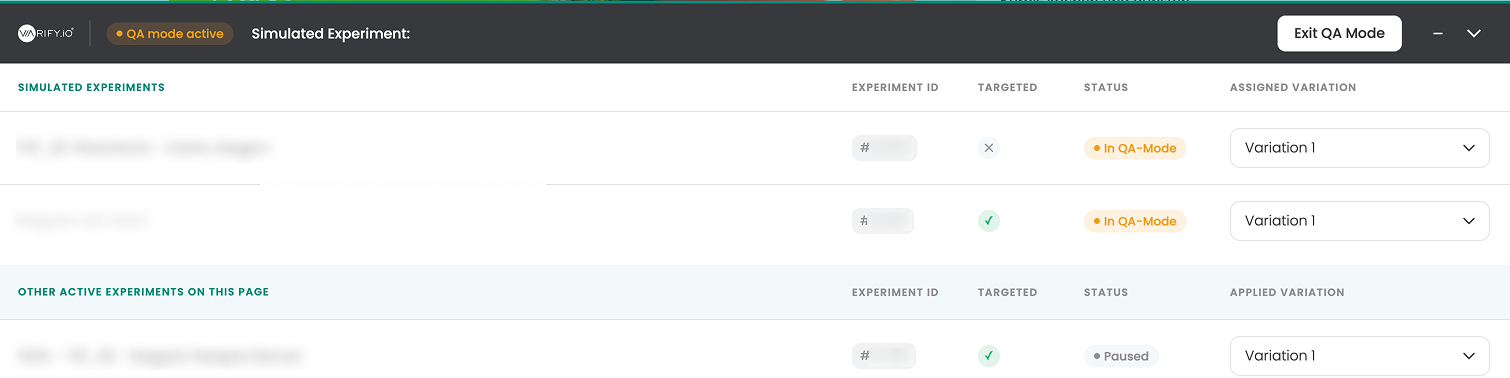
QA mode
Share a QA link or scan the QR code. Switch variations right on your page.
Staging environments
Test on staging, then go live unchanged.
No flicker
Visitors never see the original flash.
Scheduled experiments
Set start and end dates in advance.
Roles and activity log
Control access and see who changed what.
Analyze
Reporting that tells you what won
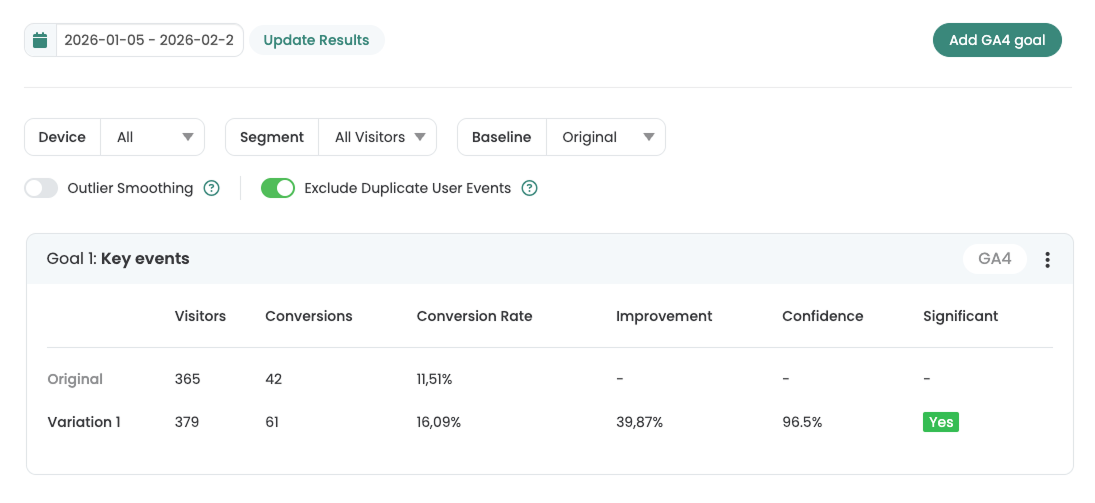
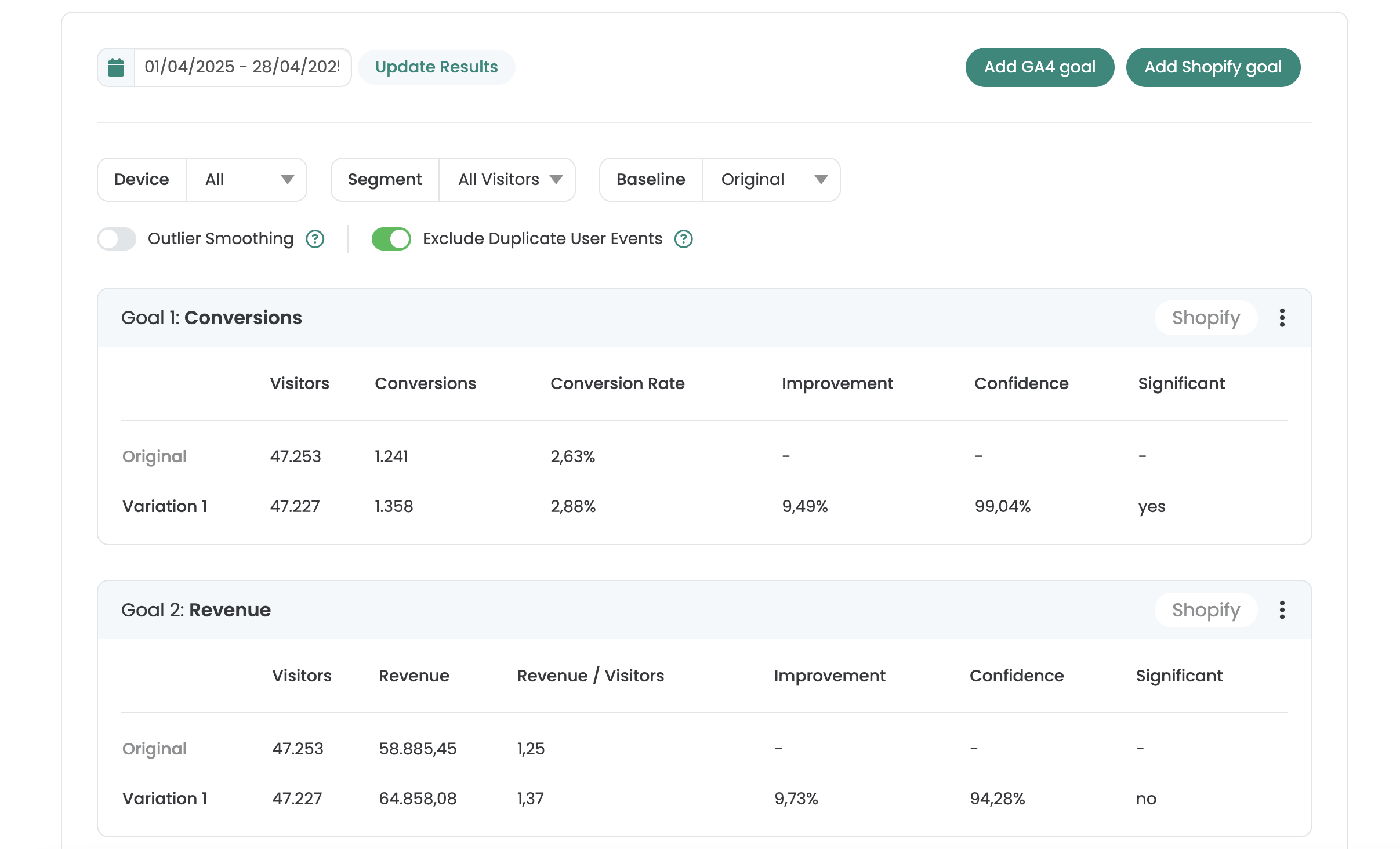
One clear report per experiment: how each variation performs, whether it is significant and how it developed.
- Significance and daily progress for every goal
- Filter by device, segment and baseline
- Frequentist or Bayesian statistics
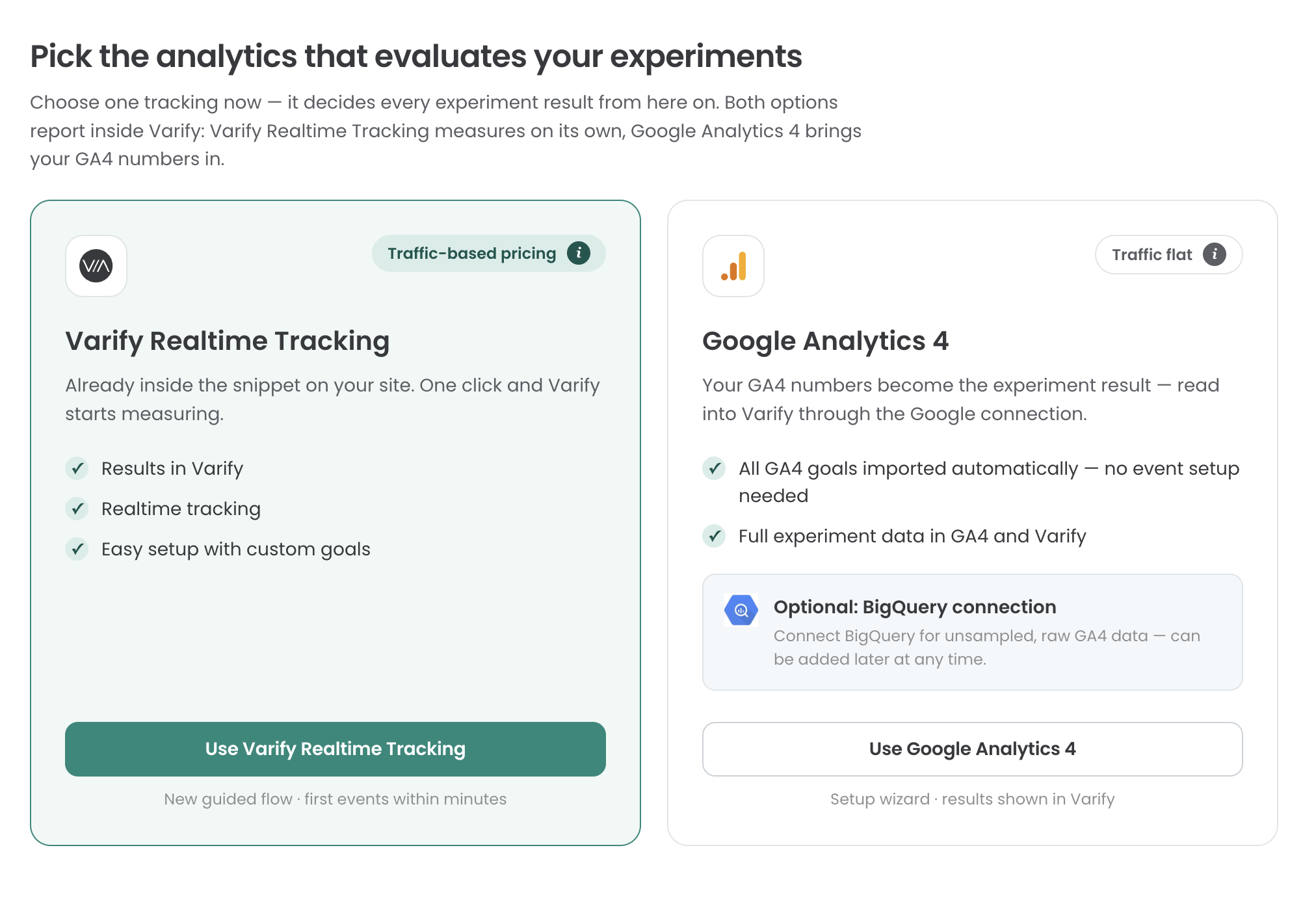
Choose your data source
- Import from GA4
The same numbers as your GA4 reports. - Varify Realtime Tracking
Results without delay, measured by Varify.
AI Results Summary
BetaA plain-language summary of what the experiment showed.
BigQuery
Go deeper with your raw GA4 data in BigQuery.
Export, share and API
CSV export, shareable report links and the Experiment API.



 G2 REVIEWS





Run the whole process on your own site.
Choose how you want to get started.
Demo call
Recommended30 minutes with a CRO expert, live on your site.
- We build a test live on your site
- You get your first AI test ideas
- A clear answer on whether Varify fits your setup
Free 15-day trial
Prefer to try it yourself? Add the snippet and get going.
- Every feature for 15 days
- No credit card required
- Set up in minutes
GDPR-compliant · cookie-less · hosted in the EU · Fixed price per domain, regardless of traffic