
Split URL Testing
Test your current page against a new version that lives on a different URL. Varify redirects part of your visitors to the new page.
What you can do with it
Compare your current page with a new version on its own URL. The new page does not have to be rebuilt in the editor.
Duplicate an existing page, optimize the copy with your page builder and send part of your visitors there.
Send each URL to itself with an extra parameter, to a sub-path or to another subdomain, with a short script in the variation.
How it works
For one page that should redirect to exactly one other page, you set up the whole experiment in the editor and the dashboard:
Create a variation, click the Redirect URL icon and enter the full, absolute address of the new page.
In page targeting, enter the URL visitors are redirected from, with the matching type Simple Match. Never enter the redirect URL there.
Set the traffic distribution for your variation, check that the redirect works without an endless loop, then start the experiment.
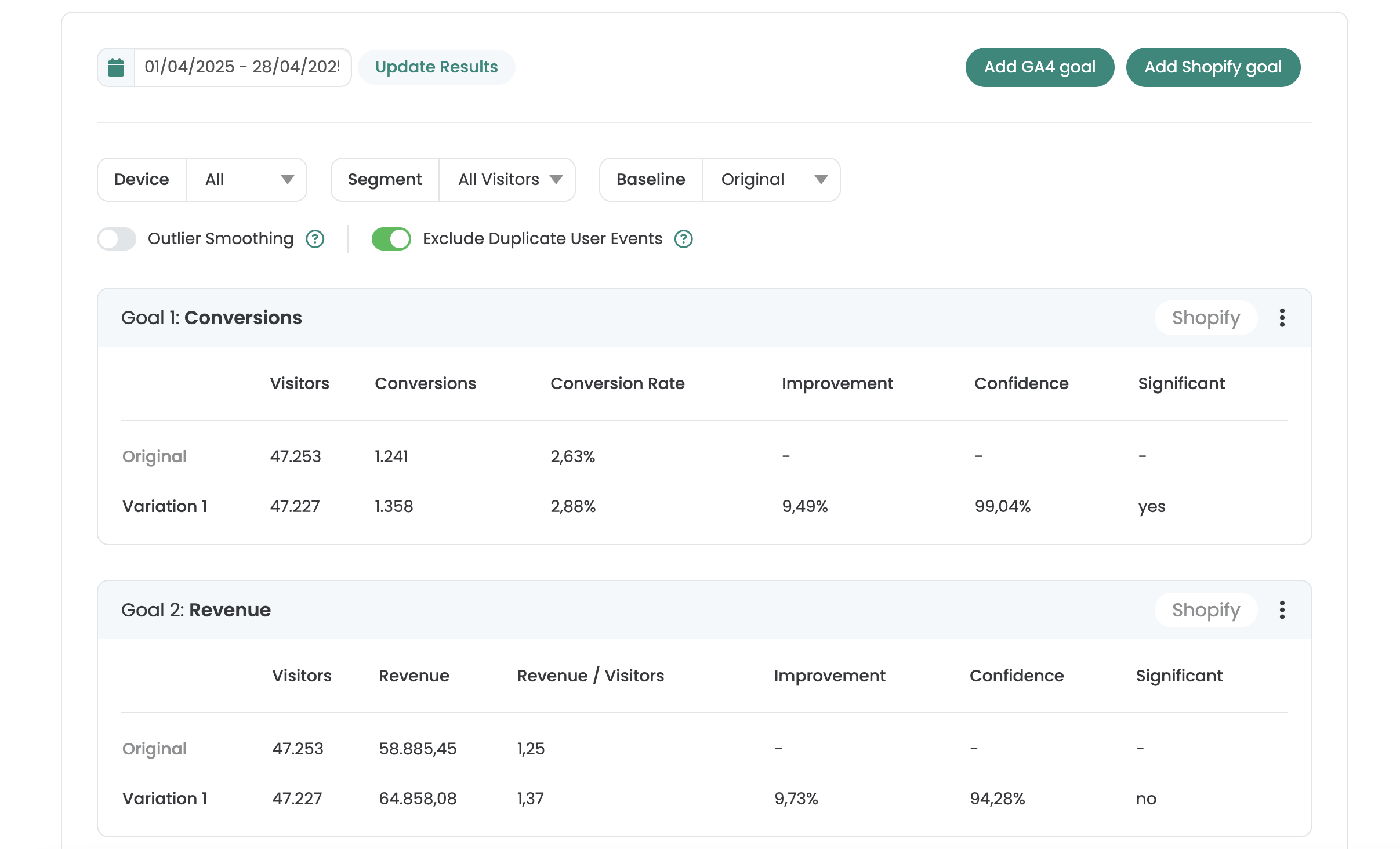
See your results right in Varify
One report per experiment, with improvement, confidence and significance for every goal.
- Goals from GA4, BigQuery, Shopify or Varify Realtime Tracking
- AI Results Summary
- Filter by date, device and segment
- Share by link or export as CSV
Not sure which plan fits? Compare all plans
Frequently asked questions
They are kept. When a visitor is redirected, the existing parameters of the original URL, such as UTM parameters, are appended to the new URL.
A loop can occur when the page targeting also matches the redirected URL, for example when the new URL only adds a parameter to the original. Add an AND condition with URL Match that excludes every URL containing va-red=. Step by step in the documentation.
Varify appends va-red to the redirect so that the visitor is recognized as a participant of the variation on the target page. If you build the redirect in JavaScript, append it yourself with the right experiment and variation ID. If your CDN or cache strips unknown parameters, whitelist it.
With the Google Analytics 4 connection, the results show up directly in your Varify dashboard. You can also analyze the variations in GA4 with an exploration.



 G2 REVIEWS





See split URL testing in action on your own site.
Choose how you want to get started.
Demo call
Recommended30 minutes with a CRO expert, live on your site.
- We build a test live on your site
- You get your first AI test ideas
- A clear answer on whether Varify fits your setup
Free 15-day trial
Prefer to try it yourself? Add the snippet and get going.
- Every feature for 15 days
- No credit card required
- Set up in minutes
GDPR-compliant · cookie-less · hosted in the EU · Fixed price per domain, regardless of traffic