
Multi-Variation Testing
Test several variations against the original in one experiment instead of one idea at a time. Add as many variations as you need and decide yourself how much traffic each one gets.
What you can do with it
Put different headlines, layouts or offers into one experiment and measure every variation against the same original.
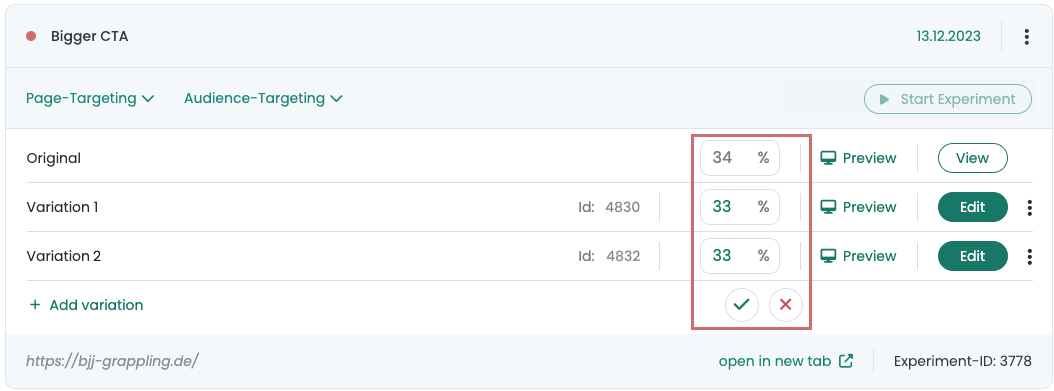
Give each variation its own share in whole percent. Whatever you leave unassigned goes to the original.
A duplicated variation starts at 0 % traffic, so you can add one to a running experiment before any visitor sees it.
How it works
Create an experiment with its first variation as usual, then extend it in the dashboard:
Click “Add new variation”. The new variation starts as a copy of the original. Open it with “Edit” and build your change, or duplicate an existing variation as a starting point.
Original and Variation 1 start at 50 % each, added variations at 0 %. Set whole-number percentages for each one; the total cannot exceed 100 %.
Open any variation with “Preview” and share the link with colleagues. Once the experiment runs, evaluate it like a classic A/B test in the exploratory reports of Google Analytics.
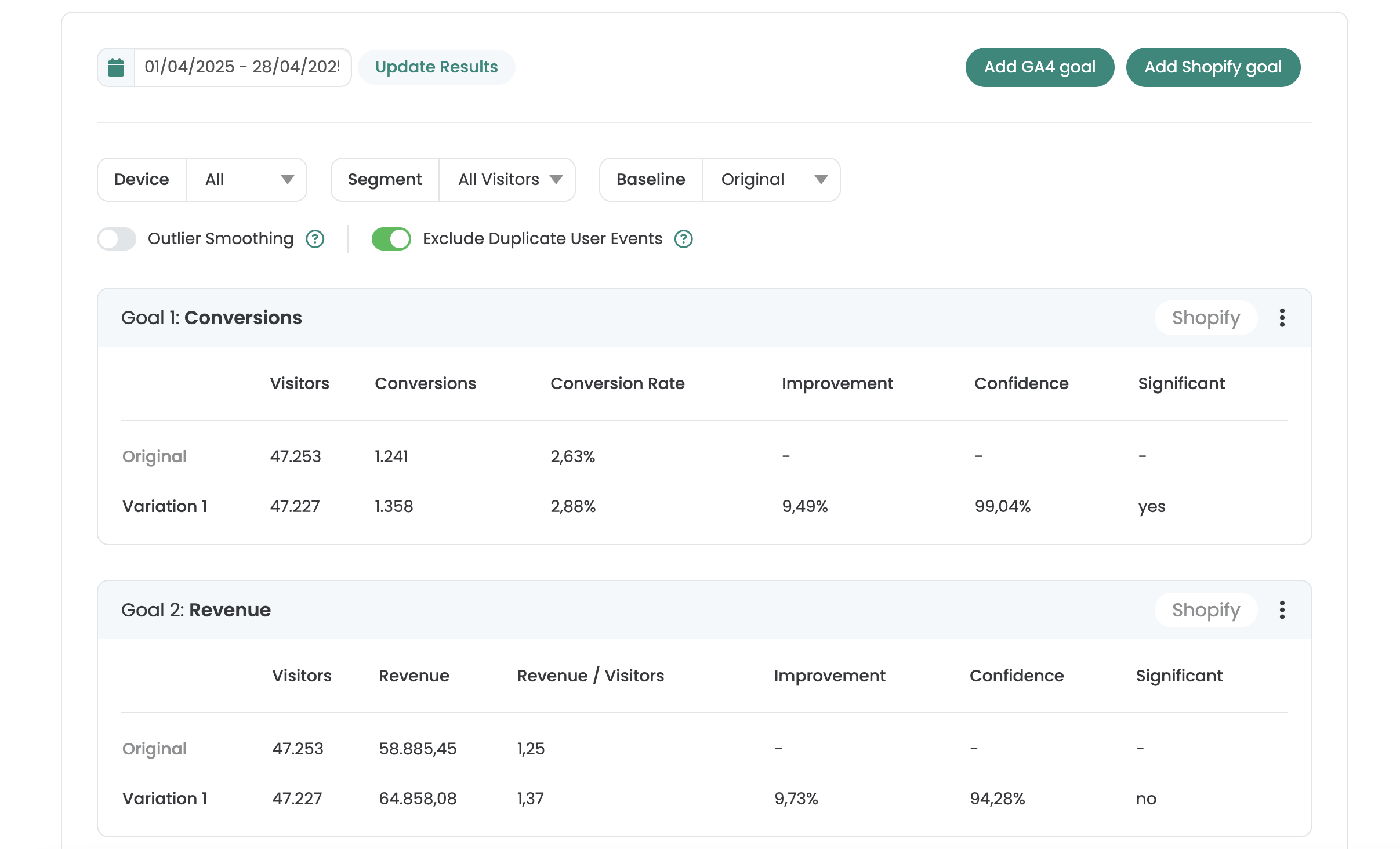
See your results right in Varify
One report per experiment, with improvement, confidence and significance for every goal.
- Goals from GA4, BigQuery, Shopify or Varify Realtime Tracking
- AI Results Summary
- Filter by date, device and segment
- Share by link or export as CSV
Not sure which plan fits? Compare all plans
Frequently asked questions
Each variation is a separate version of the page that you edit on its own in the editor. Varify distributes the traffic between the original and the variations by the percentages you set.
The part of 100 % that is not assigned goes to the original automatically. A variation set to 0 % is not delivered to visitors.
Start QA mode (recommended): the experiment is not tracked and normal visitors do not see it. You can also share a variation's preview link or check it with the Chrome extension. The quality assurance guide walks you through it.



 G2 REVIEWS





See multi-variation testing in action on your own site.
Choose how you want to get started.
Demo call
Recommended30 minutes with a CRO expert, live on your site.
- We build a test live on your site
- You get your first AI test ideas
- A clear answer on whether Varify fits your setup
Free 15-day trial
Prefer to try it yourself? Add the snippet and get going.
- Every feature for 15 days
- No credit card required
- Set up in minutes
GDPR-compliant · cookie-less · hosted in the EU · Fixed price per domain, regardless of traffic