
Personalization
Permanently show a specific audience a tailored version of your page. Decide who sees it with audience targeting, build the change once and deliver it to everyone in that audience.
What you can do with it
Combine conditions such as traffic source, URL parameter, device, location, cookies or a data layer entry with AND or OR, and give that group its own version.
Keyword insertion shows the visitor's Google search term on your landing page through a placeholder, instead of one landing page per keyword.
The Campaign Booster adds USP bars, notifications, information bars and exit-intent layers to point visitors to offers and promotions.
How it works
A personalization is an experiment whose variation goes to everyone in the audience you define:
Describe the change and let the AI build the variation, then fine-tune it in the visual or code editor if you need to.
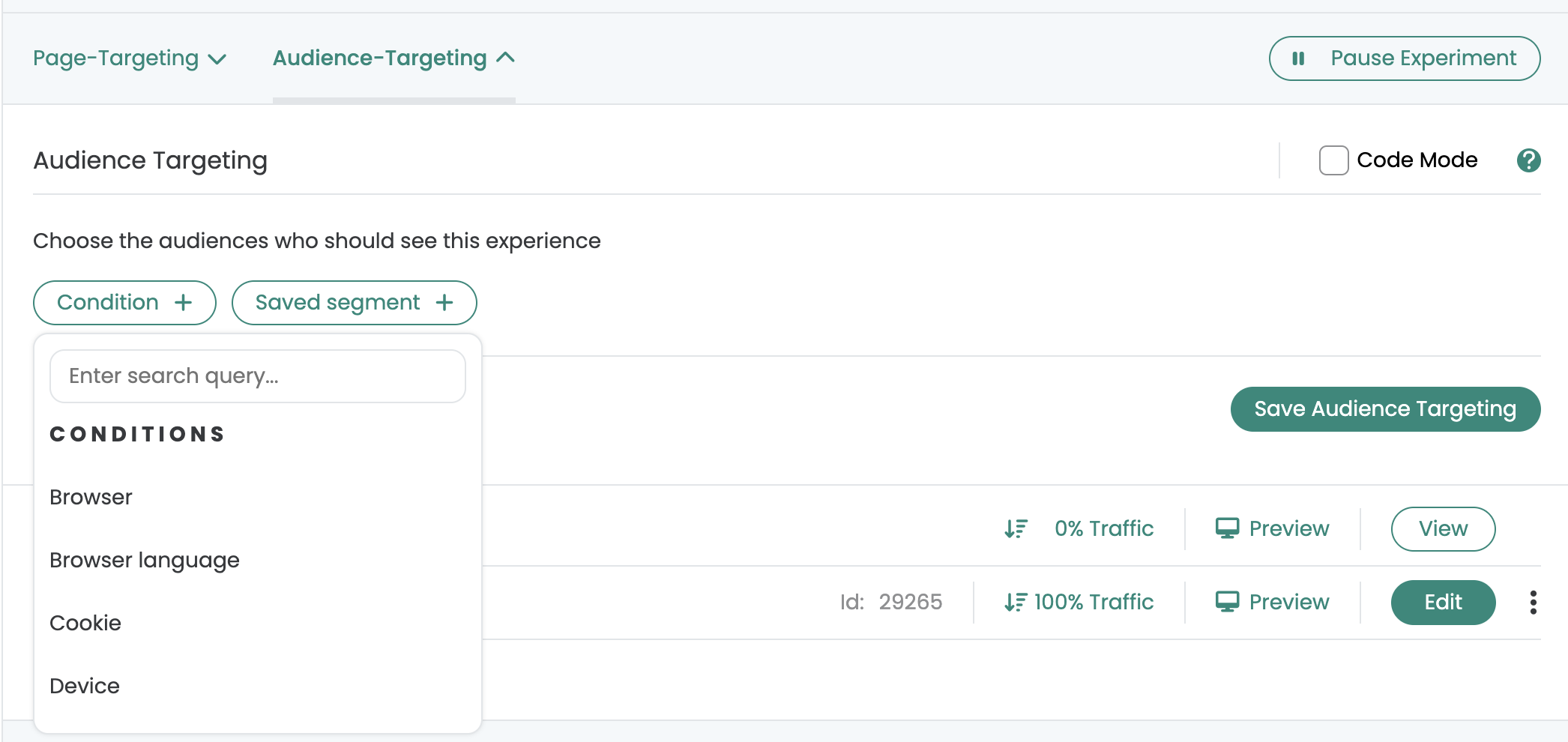
In the Audience Targeting tab, add conditions with „Condition +“ and combine them with AND or OR. Save the audience as a segment to reuse it in other experiments.
Set the traffic distribution to 100 % for the variation. Every visitor who meets your page and audience targeting now sees the personalized version.
Personalization ideas you can launch today
Visitors from ?utm_campaign=blackfriday see the Black Friday headline, the code and the matching hero. Everyone else sees your regular page.
New visitors get a first-order incentive. Returning visitors skip the intro and see “Pick up where you left off” instead.
A login or cart cookie is set? Hide the sign-up CTA, show the loyalty status or remind them of what is still in the cart.
Store a flag when someone downloads your whitepaper. On the next visit they see the demo invitation instead of the download form again.
Show shipping times, payment methods or a local holiday promotion only to visitors from Austria or Switzerland, in their language.
Visitors from a comparison site see your test score, visitors from a partner blog a partner discount, visitors from Google Shopping the price highlight.
Not sure which plan fits? Compare all plans
Frequently asked questions
Anything a variation can change: edit texts and styles, replace images, move, hide or remove elements, or add your own HTML, CSS and JavaScript. On top of that, keyword insertion shows the visitor's search term, and the Campaign Booster adds USP bars, notifications, information bars, exit-intent layers and an arrow up.
Visitors by browser, browser language, device, platform, geolocation, IP address, cookie, local storage or session storage value, URL query parameter (for example a campaign) or URL referrer (the traffic source). Combine conditions with AND or OR, or write a JavaScript condition.
Yes. Save the audience targeting as a segment, then add it to any other experiment with one click via „Saved segment +“.
Use a JavaScript condition. The audience applies whenever your code returns true, for example for visitors who saw a specific variation of an earlier experiment.
 G2 REVIEWS




See personalization in action on your own site.
Choose how you want to get started.
Demo call
Recommended30 minutes with a CRO expert, live on your site.
- We build a test live on your site
- You get your first AI test ideas
- A clear answer on whether Varify fits your setup
Free 15-day trial
Prefer to try it yourself? Add the snippet and get going.
- Every feature for 15 days
- No credit card required
- Set up in minutes
GDPR-compliant · cookie-less · hosted in the EU · Fixed price per domain, regardless of traffic