
A/B testing built for developers.
SDKs, APIs, server-side.
Run experiments client-side with an 11.5 KB snippet and JS helpers, or server-side with JavaScript SDKs and a REST delivery API. QA mode, staging environments and an Experiments API for your pipeline included. Evaluate results in GA4 (optionally with BigQuery) or with Varify Realtime Tracking.
 4.9
 4.8
// Variation code – works in SPAs, no own observers
window.varify.helpers.waitFor('.add-to-cart', (button) => {
  button.textContent = 'Add to cart – free shipping';
});

// Track when the reviews block is actually seen
window.varify.helpers.isInView('.reviews', () => {
  dataLayer.push({ event: 'reviews_seen' });
});
QA mode · Variation 1 applied
2,700 teams worldwide already rely on Varify
















Sound familiar?
Three problems we hear from engineering teams again and again.
Problem 1
The tool slows the site down
Heavy testing scripts and flicker on load cost Core Web Vitals and trust.
Problem 2
Variations vanish in the SPA
Content renders without a reload and the tool misses it. The test only runs on paper.
Problem 3
Every test is a production risk
Marketing changes go live without review. Your on-call phone rings.
Testing gets written off as “unreliable” before it ever gets a fair chance.
How Varify solves it
The same three problems, and what changes with Varify.
Problem 1 · The tool slows the site down
11.5 KB, loaded in under 30 ms.
A small snippet with an optional anti-flicker script. Delivered via CDN, optionally through your own subdomain (CNAME).
- 11.5 KB initial size
- Typically < 30 ms load time
- Optional anti-flicker script
| Name | Size | Waterfall |
|---|---|---|
| document | 24 KB | |
| varify.js | 11.5 KB | |
| app.bundle.js | 310 KB | |
| vendor.js | 180 KB | |
| styles.css | 46 KB |
Illustration. Sizes and times of the other files differ from site to site.
Problem 2 · Variations vanish in the SPA
Built for single-page apps.
Code Helpers detect dynamically rendered content in React, Vue, Angular and other frameworks and re-apply variations on re-render.
- Dynamic content detection
- Works with client-side routing
- Code editor for CSS and JavaScript
Illustration of a client-side route change.
Problem 3 · Every test is a production risk
QA before anything reaches production.
QA mode, preview links and staging/UAT environments let you check every variation before it reaches real users.
- QA mode and preview links
- Staging/UAT environments
- Roles, permissions and activity log
Success story
What Mainova tested with Varify, and what changed.
 Energy · Germany
How Mainova Implements Accessibility - Without Conversion Losses
StablePerformance
Challenge
The European Accessibility Act (EAA) requires companies to make their digital products and services accessible from June 2025. For Mainova, this meant: key product pages had to meet new standards for contrast, screen reader compatibility and keyboard navigation - without knowing what impact this would have on conversion performance.
What was tested
The variation implemented the required accessibility adjustments (contrast improvements, screen reader compatibility, and keyboard navigation) while retaining the layout and structure from a previous test in the test series.
- A/B test
- ~7,000 visitors per variation


Tech specs
Under the hood
The numbers your team will ask about before the snippet goes live.
- Snippet size
- 11.5 KB initial
- Load time
- Typically < 30 ms
- Visitor assignment
- localStorage / sessionStorage, no cookies, no personal IDs
- Flicker
- Optional anti-flicker script
- Frameworks
- React, Vue, Angular and other SPAs
- Editors
- Visual editor + code editor (CSS, JavaScript)
- Environments
- QA mode, preview links, staging/UAT
- Delivery
- CDN, optional CNAME via your own subdomain
- Server-side
- Server-side delivery API (REST) + JavaScript SDKs
- JS helpers
- waitFor, onDomChanged, onDomLoaded, isInView, isInEditor, resetListeners
- QA
- QA mode with overlay, QA links, varify-force parameter, Chrome extension
- APIs
- Server-side delivery API (OpenAPI 3.1), Experiments API, Reporting API, Varify MCP, GA4 MCP
- SDKs
- @varify-io/core (any JS stack) and @varify-io/nextjs on npm, MIT licence
- Evaluation
- GA4 (optionally with BigQuery) or Varify Realtime Tracking; integrations for GTM, PostHog, Mixpanel, Snowplow, Tealium, custom tracker
- Hosting
- EU (AWS Frankfurt)
- Security
- MFA, roles & permissions, activity log
Server-side delivery API
Request and response shape from the server-side A/B testing docs.
// Server-side delivery API
GET /ss/{teamId}/experiments/{experimentId}/variations/{userId}
{
  "variation": 48838,
  "tracking": { "experiment": { "id": 32596 } }
}
Read the developer docs
Every endpoint, helper and QA tool is documented with examples.
JS helpers
Helpers for dynamic pages, built into the snippet.
window.varify.helpers gives you the building blocks for SPAs, lazy-loaded content and custom tracking, without writing your own observers.
waitFor
Runs a callback as soon as matching elements appear in the DOM (AJAX, lazy loading).
window.varify.helpers.waitFor('.lazy', (el) => {
  el.style.color = 'red';
});
onDomChanged / onDomLoaded
React to every DOM change, or run code once the DOM is ready.
window.varify.helpers.onDomChanged(() => {
  // re-apply on change
});
isInView
Fires when an element is fully visible, once or every time.
window.varify.helpers.isInView('.product', (el) => {
  dataLayer.push({ event: 'product viewed' });
});
isInEditor
Keeps code like redirects from running inside the Varify editor.
if (window.varify.helpers.isInEditor()) return;
resetListeners
Resets all observers, e.g. on route change in your SPA.
window.varify.helpers.resetListeners();
Experiment JS/CSS + JS reset
Code across all variations incl. the original; remove added JS again in SPAs.
QA process
QA before a single visitor sees a variation.
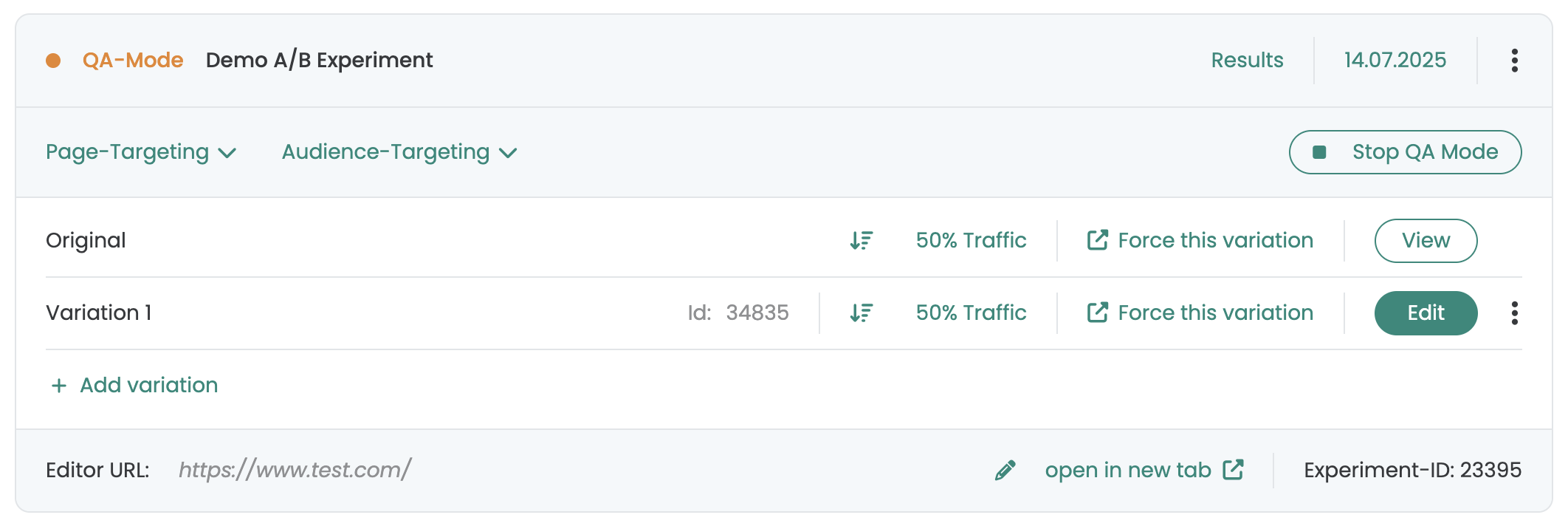
QA mode runs the experiment only for your team, without tracking. Check targeting, devices and conflicts with other experiments.
Start QA mode
Open the experiment, click “Preview (QA mode)”. Not tracked, not shown to normal users.
Share and check
Share the QA link with colleagues or open it on your phone.
Switch in the overlay
Switch variations of this and other active experiments; the “Targeted” column shows where targeting matches.
Force variations
Force a variation from the dashboard, or via the Chrome extension and the varify-force URL parameter.
Stop QA, then launch
Stop QA mode for all QA users, then start the experiment.
Staging / UAT
Run the same experiment against staging or UAT environments first.
Server-side & APIs
SDKs and server-side delivery for headless, SSR and native apps.
Variations are assigned on your server before the page renders: no client-side JavaScript, no flicker. Targeting, traffic and start/stop stay in the Varify dashboard.
Create a user
Your backend creates a user once and persists the userId.
Get the variation
Deterministic assignment: same user, same variation.
Track it
Render the tracking block into the page; Varify fires tracking with the user's consent status.
SDKs
Core SDK for any JavaScript stack plus a Next.js SDK, open source (MIT) on npm.
Experiments & Reporting API
Create, update and report on experiments from your pipeline. Experiments API
Varify MCP
Control experiments from your AI coding assistant. Varify MCP
Try it
Same user, same variation.
Send the same userId as often as you like and the answer does not change. A new userId may land in a different variation.
Press “Send request”.
GET /ss/{teamId}/experiments/32596/variations/u_7f3a9c21

{
  "variation": …,
  "tracking": { "experiment": { "id": 32596 } }
}
Illustration that runs in your browser. The real assignment happens on Varify's servers; IDs are examples.
Your data, your choice
You choose how experiments are evaluated
Evaluate in Google Analytics 4 and connect BigQuery for unsampled raw data, or let Varify Realtime Tracking measure the experiment itself.
 BigQuery
Your web analytics: Google Analytics 4
Varify imports your GA4 data and shows the results. Your data stays the source of truth.
- Evaluate experiments with the same numbers as the rest of your reporting
- All GA4 goals are imported automatically, no event setup needed
- Unsampled raw data with the optional BigQuery connection
Matomo, etracker and Piwik Pro connect under Integrations.
Varify Realtime Tracking
Varify measures your experiments itself, using the Varify snippet that is already on your site.
- Unsampled results in real time, right in Varify
- No analytics setup needed: click, page view and custom goals
- Load it with or without user consent, your choice at setup
Choose one of the two in the tracking setup. You can switch at any time.
How it works
Install in 3 steps
From snippet to first experiment, without a release cycle.
Add the snippet
Paste it into the <head>, or deploy via GTM.
Verify
Open the Chrome extension to check the installation.
Hand over
Marketing builds in the visual editor, you review in staging.
What you get
Everything engineering teams need to test
The building blocks engineering teams use to run experiments in code and in the browser.
JavaScript SDKs
@varify-io/core for any JS stack, @varify-io/nextjs for Next.js. Open source, MIT.
Server-side delivery API
Assign variations on your server: headless, SSR and native apps, no flicker.
JS helpers + code editor
waitFor, onDomChanged, isInView and more, plus CSS/JS where the editor ends.
QA mode & staging
Team-only preview without tracking, varify-force links, staging/UAT environments.
Experiments API & Varify MCP
Create, update and report on experiments from your pipeline or AI coding assistant.
11.5 KB snippet, no cookies
Typically < 30 ms, optional anti-flicker, first-party delivery via CNAME.
Privacy & compliance
Compliant in the EU, the US, the UK and Switzerland.
No cookies, no stored personal data, hosting in the EU. One setup covers all five frameworks.
- GDPRCompliant
- CCPA / CPRACompliant
- HIPAACompliant
- UK GDPR & DPA 2018Compliant
- revFADPCompliant
Integrations
Fits your stack
Connect Varify to the tools you already use. Set up once, then every experiment works with them automatically.








2,700+ teams trust Varify

 G2 REVIEWS





Put Varify through its paces on your own stack.
Choose how you want to get started.
Demo call
Recommended30 minutes with a CRO expert, live on your site.
- We build a test live on your site
- You get your first AI test ideas
- A clear answer on whether Varify fits your setup
Free 15-day trial
Prefer to try it yourself? Add the snippet and get going.
- Every feature for 15 days
- No credit card required
- Set up in minutes