Overview of security measures at Varify
Table of contents
In short
Varify.io offers a range of security features that can be configured directly in the Varify account. This article provides an overview of all the features available to protect your account and your experiments.
Multi-factor authentication (MFA)
Protect your login with a second factor. In addition to the password, a time-based code from an authenticator app - for example Microsoft Authenticator, Google Authenticator or 1Password - is requested each time you log in. Activation takes place under „Your Settings” → „Security”: Scan the QR code, enter the generated code and confirm with „Verify & Enable”.
As the account owner, you can also make MFA mandatory for all users in the account. This ensures that no team member can access the dashboard without a second factor - regardless of whether individual users have activated MFA themselves.
Documentation: MFA · Enforce MFA
Session hijacking protection through re-authentication
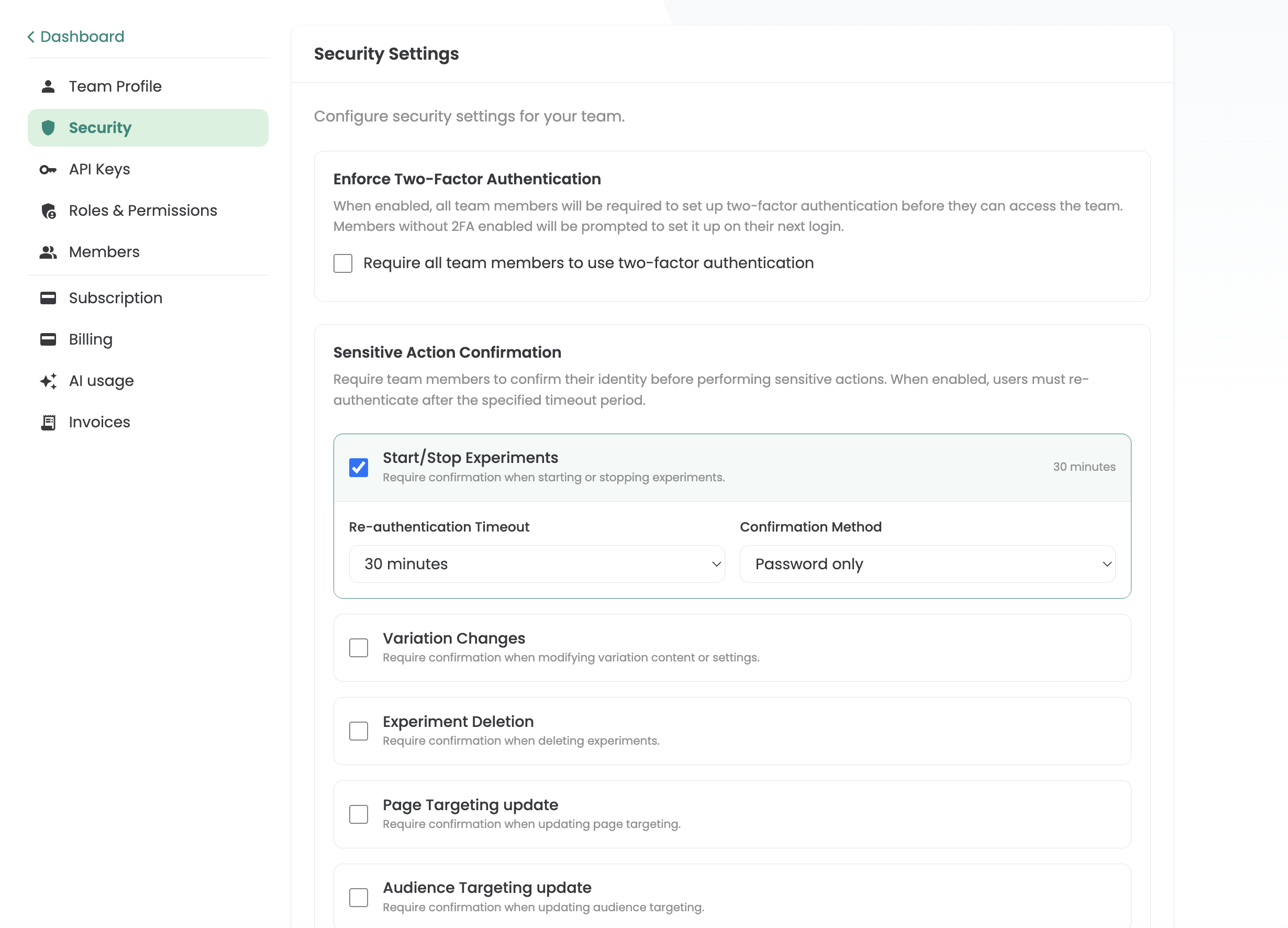
Even if an active session is compromised - for example through cookie hijacking - re-authentication prevents an attacker from making critical changes.
This feature can be configured on three levels:
Protected actions - You decide for which actions a new confirmation is required, for example: starting and pausing experiments, changes to variants, archiving experiments, changes to page targeting or changes to audience targeting.
Time window - You define how long a one-off confirmation remains valid: from a query for each individual action to freely selectable intervals such as 30 minutes or several hours.
Authentication method - You decide whether the password, a second factor (MFA) or both together are required for confirmation.
To the documentation: Session Hijacking Protection
Cloudflare Captcha login protection
The Varify login area is protected by Cloudflare Turnstile. With every login attempt, an automatic check is carried out in the background to block bots and automated attacks (such as brute force or credential stuffing attacks) - without real users having to solve a classic captcha.
Active sessions
The „Active Sessions” overview shows all currently active sessions on your account - including device, browser and location. This allows you to check at any time whether unknown or unauthorized sessions are active and terminate suspicious sessions immediately.
To the documentation: Active Sessions
Login History
The login history gives you a complete overview of all logins to your account: when which user logged in, from which device and location, and whether there were any anomalies or unauthorized access attempts. This feature ensures transparency and allows you to quickly identify unusual activities.
To the documentation: Login History
Activity Log
The activity log records all changes within your account - a complete audit trail. This allows you to see who made which change and when at any time.
The following activities are tracked: Experiments (create, edit, delete), changes to variants, Audience Targeting, Browser Targeting, Device Targeting, Geolocation Targeting, IP Targeting, JavaScript Targeting, CSS Selector Page Targeting, Local Storage Targeting, Session Storage Targeting, URL Match Page Targeting, URL Query Parameter Targeting, Page Targeting, Targeting Segments, Team Management and Invitations.
For documentation: Activity Log
Roles & authorizations
Varify uses a role-based access model that specifically restricts access to functions and data. Which roles and whether permission management is available depends on the selected Varify plan.
Account Owner - Each account has exactly one owner. This owner has full access to all functions, including subscription, payment methods, team management, API keys and security settings (enforce MFA, configure re-authentication). Only the owner can change or finalize the subscription. The owner always has admin rights and can be changed by sending a request to Varify Support.
System rollers - Three standard roles are available from the Pro plan onwards: Admin, Publisher and Editor. They can be used to granularly control who can start experiments, manage team members or change settings. In the Growth plan, only Account Owner and Publisher are available.
Permission Management (Enterprise) - In the Enterprise Plan, you can also create your own roles with individual authorizations via Permission Management.
Agency Account - There is an additional authorization level in the agency model. Team members at agency level have access to all domains and clients in the agency account. Team members at client level only see the dashboard of their assigned client - no insight into other clients of the agency.
Team members are added by e-mail invitation and can be removed at any time. If an employee leaves, access is blocked immediately.
To the documentation: Roles & Permission Management
API key management
API keys can be created under Team Settings to use the Experiment API. Creation is reserved for the account owner. After creation, a client key and a secret key are displayed. The client secret is only visible for a short time after creation and can no longer be viewed afterwards - comparable to a token that is displayed once.