
Prompt Based Experiments (PBX)
In short
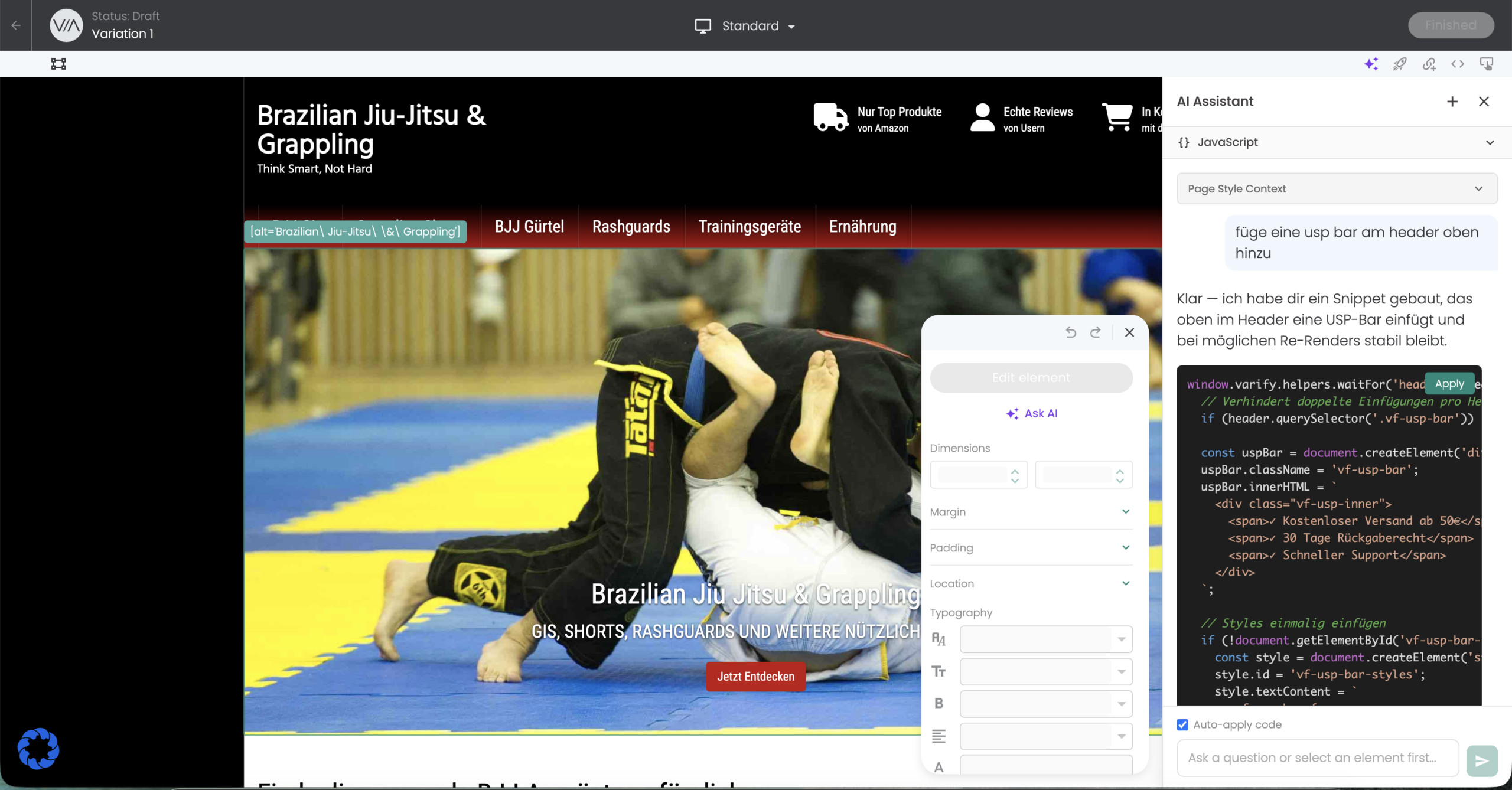
With the help of Prompt Based Experiments (PBX), experiments can be created directly in the visual editor with the help of AI. Simply describe to the AI what you want to test and the AI creates the changes directly. For developers: The AI delivers javaScript code that can be adapted directly.
How to use the function
Create a new experiment or edit an existing one. The visual editor then opens.
There you will find the PBX feature both at the top of the navigation bar in purple below the „Finished“ button and in the floating editor below the „Edit Element“ button labeled „Ask AI“.
If you click on one of the two buttons, a disclaimer opens first. This indicates that data is processed by one of the LLMs mentioned and that no personal data should be entered.
You can then enter your test idea or change request in the AI Assistant. If you also select an element before entering it, you give the AI the context of which element your description refers to.
AI Credits
Exactly 1 AI credit is used per experiment variant that you create with the AI. All queries, adjustments and iterations within a variant are included. You can therefore have the AI improved as often as you like without incurring another credit. A new credit is only used up when you start a new variant or a new CRO audit.
In the trial version, you can use AI Credits once free of charge. You can find all the details about the available credit packages and plans on our AI Credits page.