
Roles and permission management
Table of contents
In short
Define which users are allowed to perform certain actions in your account and assign them corresponding roles. Permission management can also be used to create your own roles if required.
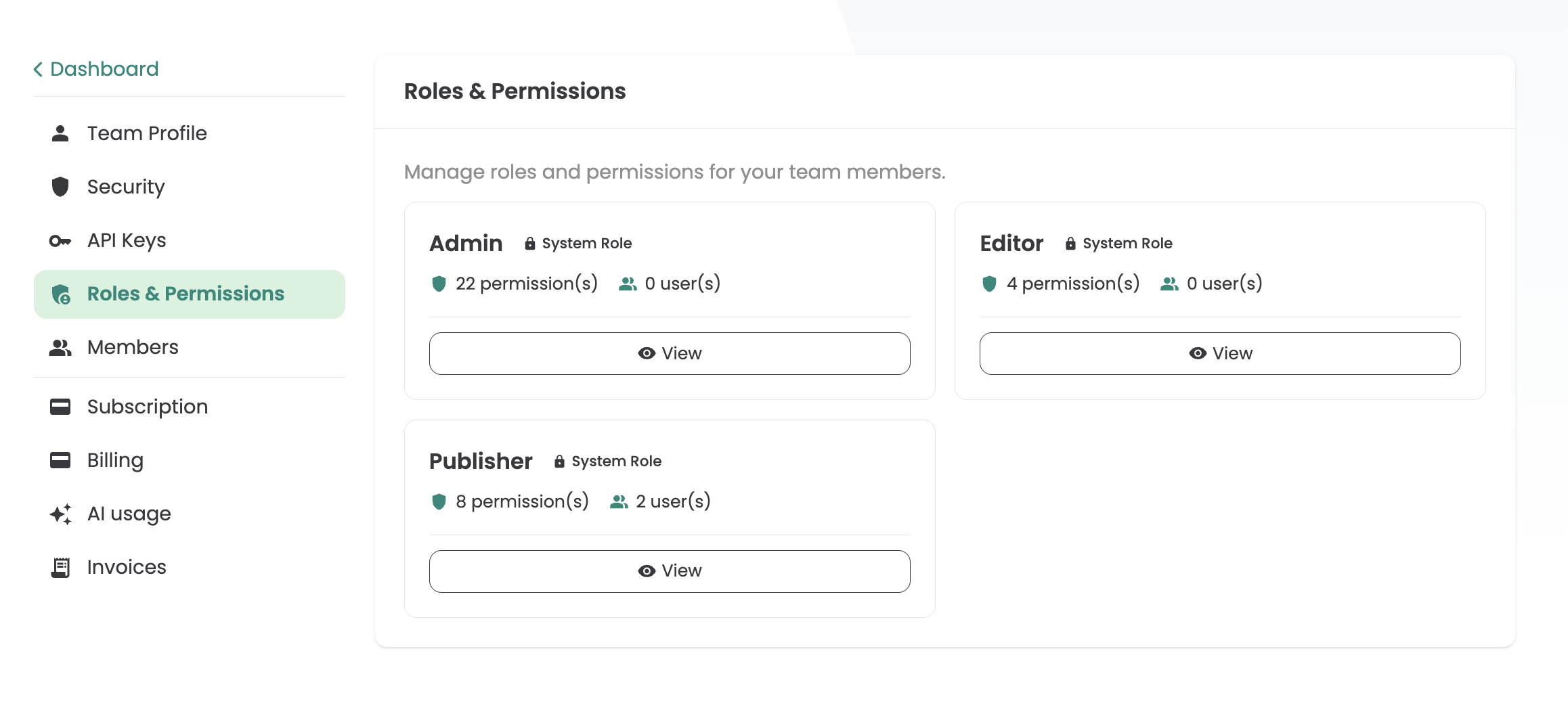
System rolls
With the help of system roles, you can define which user is allowed to perform which actions in Varify. You can change these directly when creating the account, but also later.
Varify offers the 3 standard system castors:
- Admin
- Publisher
- Editor
Authorizations of the standard system roles
Varify offers the 3 standard system roles: Admin, Publisher and Editor. The authorizations of the standard system roles are listed below.
| Authorization | Admin | Publisher | Editor |
|---|---|---|---|
| Team | |||
| View activity log | ✓ | - | - |
| AI | |||
| Use AI features | ✓ | ✓ | ✓ |
| Billing | |||
| View invoices | ✓ | - | - |
| Manage subscription and payment method | ✓ | - | - |
| Experiments | |||
| View experiments | ✓ | ✓ | ✓ |
| Create experiments | ✓ | ✓ | ✓ |
| Edit experiments | ✓ | ✓ | ✓ |
| Start/stop experiments | ✓ | ✓ | - |
| Toggle experiment tracking | ✓ | ✓ | - |
| Archive experiments | ✓ | ✓ | - |
| Members | |||
| View team members | ✓ | ✓ | - |
| Invite team members | ✓ | - | - |
| Remove team members | ✓ | - | - |
| Permissions | |||
| Assign permissions to team members | ✓ | - | - |
| Roles | |||
| View roles | ✓ | - | - |
| Create roles | ✓ | - | - |
| Edit roles | ✓ | - | - |
| Delete roles | ✓ | - | - |
| Assign roles to team members | ✓ | - | - |
| Settings | |||
| Manage API keys | ✓ | - | - |
| Manage team profile | ✓ | - | - |
| Manage security settings | ✓ | - | - |
Account Owner
In addition, there is one account owner per account. This was initially created by the team and can be changed by sending a request to Varify Support. The account owner always has admin access.
System role selection, permission and permission management
Which roles and whether permission management is available to you depends on your selected Varify plan. Enclosed you will find the overview.
| Varify Plan | Growth | Pro | Enterprise |
|---|---|---|---|
| Roles and rights overview | |||
| Account Owner | ✓ | ✓ | ✓ |
| Admin | - | ✓ | ✓ |
| Publisher | ✓ | ✓ | ✓ |
| Editor | - | ✓ | ✓ |
| Role management | |||
| Assign system roles | - | ✓ | ✓ |
| Create your own roles | - | - | ✓ |
| Permission Management | - | - | ✓ |