
Page targeting
Table of contents
In short
With the help of page targeting, you can determine on which pages of your website an experiment is displayed. In the experiment settings, you will find various options under „Page targeting“ to control the playout based on rules. Correctly configured page targeting is also a prerequisite for starting an experiment.
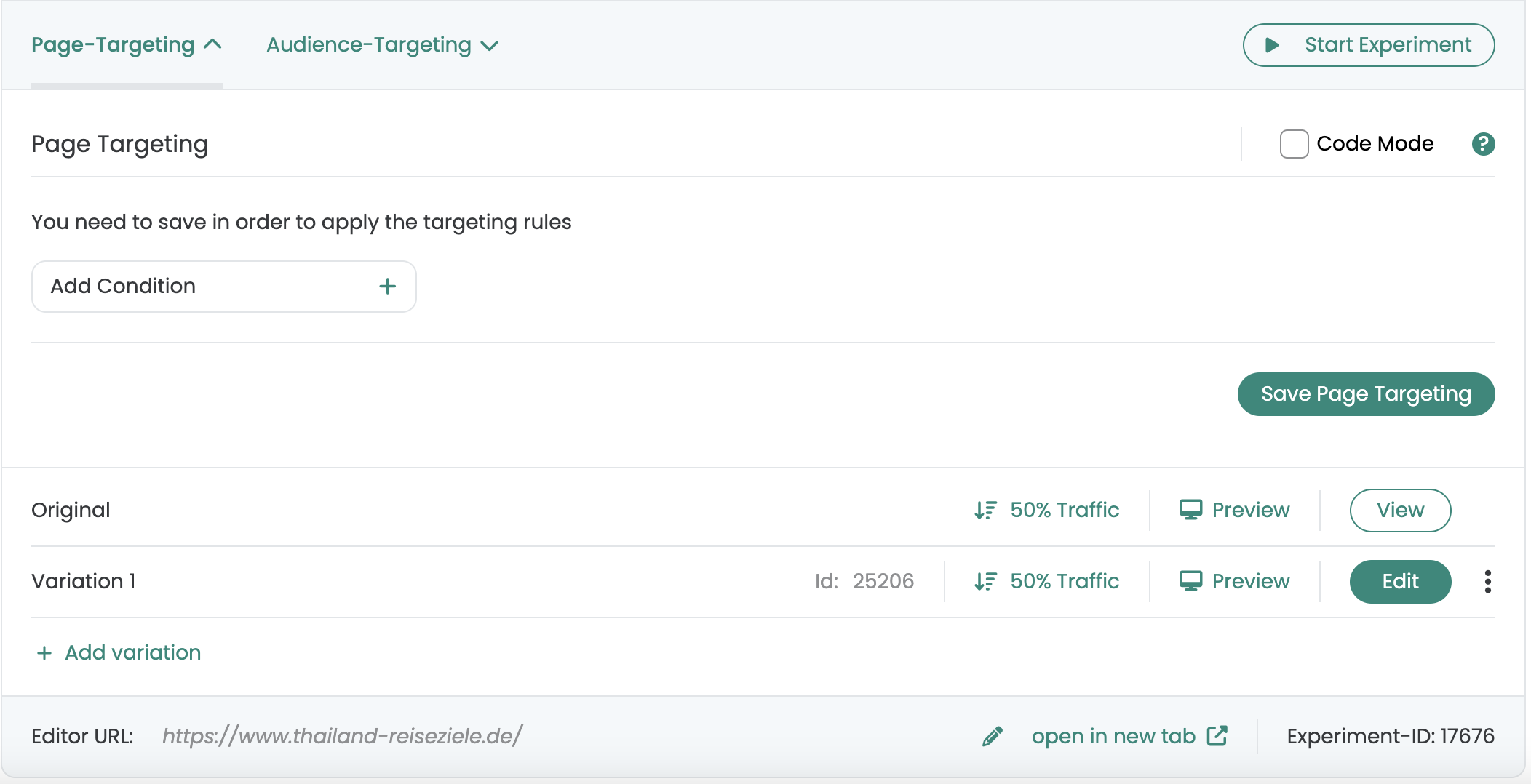
Page targeting options
With the help of rules in Page Targeting, you determine on which pages or page types visitors become experiment participants. Various methods are available to you for uniquely identifying pages. An experiment is only played out if the defined conditions are met.
It is also possible to link several rules together and use AND and OR conditions.
| Method | When it makes sense |
|---|---|
| URL rules | If pages can be clearly distinguished by domain, path or parameters or if only a specific URL is to be targeted. |
| Regex | If several similar URLs are to be covered with one pattern. |
| CSS selector | If you want to target several pages that cannot be clearly distinguished via URL rules, but share a unique element. |
| JavaScript | If you need complex conditions that go beyond URL and DOM, e.g. logic, states or DataLayer entries. |
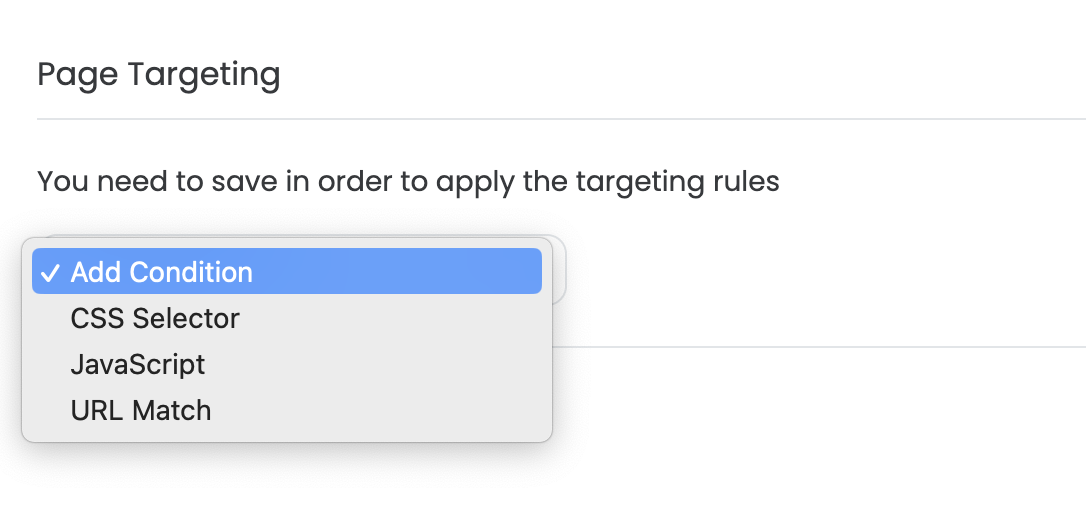
You can use rules to define the pages or page types on which your visitors become experiment participants. You have several options for identifying pages.
The use of the CSS Selector is useful if you want to target several pages, but these cannot be clearly identified via URL rules.
You can use JavaScript to define more complex targeting rules. For example, you also have the option of checking for special DataLayer entries.
URL Match
With URL Match, you use URL rules to define the pages on which your experiment is displayed. You can combine several URL rules and define which must apply and which should be excluded.
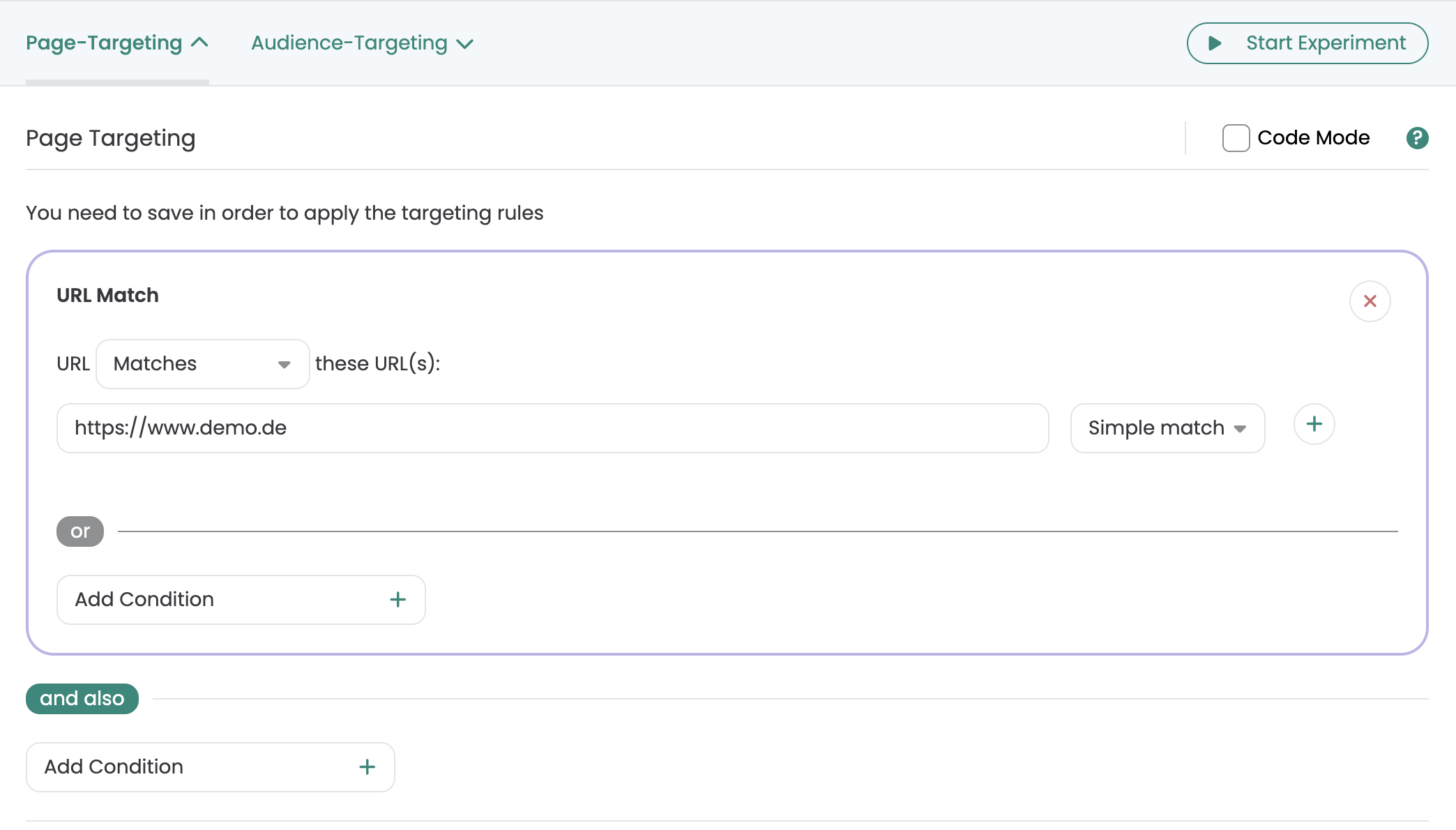
Linking several URL rules
You can create several URL rules at the same time and link them together. Use the plus symbol to add further rules. Use „matches“ or „does not match“ to specify whether the experiment should be played on the specified URLs or excluded.
If you want to map more complex rules, you can combine several URL matches. For example, you can specify that an experiment is displayed on https://www.demo.de, except on https://www.demo.de/impressum.
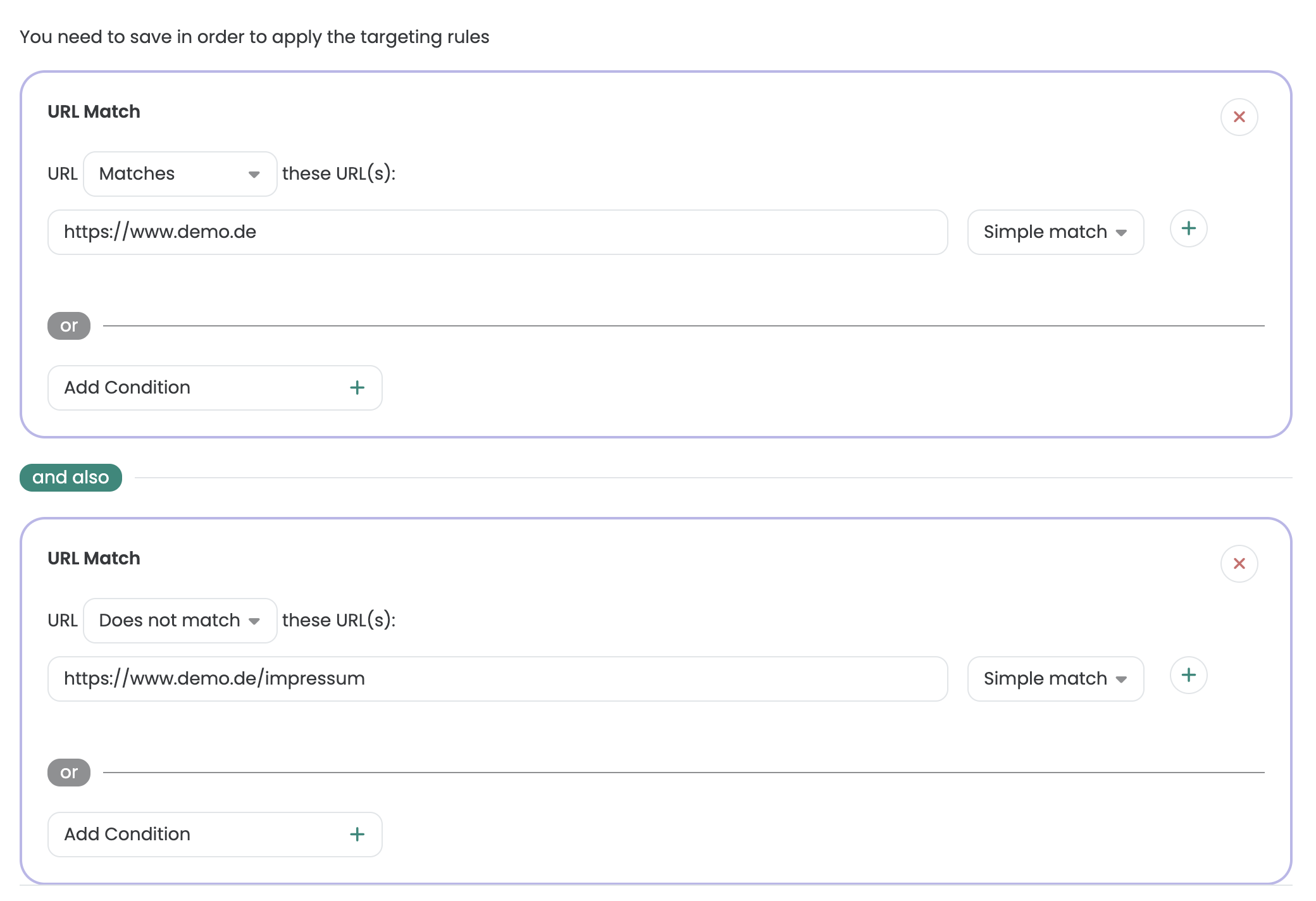
matching type
To the right of the input field, you can specify the matching type of your targeting condition. Depending on the selection, the URL in the input field next to it is checked for various conditions. You have the following conditions to choose from:
- Simple Match
- Exact Match
- Contains
- Regex
The targeting conditions with application examples are explained in more detail below.
Simple Match
With Simple Match, all URLs entered are targeted, including the associated URL parameters.
In the following example, you can see which URL variants are considered hits for the URL www.demo.de in „Simple Match“ page targeting:

| URL | Targeting applies |
|---|---|
| www.demo.de | ✅ applies |
| www.demo.de#about | ✅ applies |
| www.demo.de?color=red | ✅ applies |
| www.demo.de/category | ❌ does not apply |
| www.demo.com | ❌ does not apply |
| subdomain.demo.de | ❌ does not apply |
| URL | Targeting applies |
|---|---|
|
www.demo.de |
applies |
|
www.demo.de#about |
applies |
|
www.demo.de?color=red |
applies |
|
www.demo.de/category |
does not apply |
|
www.demo.com |
does not apply |
|
sub.demo.com |
does not apply |
If you want to target several pages, page types or subdomains at the same time, you can use regex for this. Alternatively, targeting is also possible via a CSS selector, for example if a specific element is present on the page. Just read on.
Exact Match
Use the „Exact Match“ condition if the page targeting should only apply to a specific URL, i.e. without URL parameters.
In the following example, you can see which URL variants are considered hits for the URL www.demo.de in „Exact Match“ page targeting:

| URL | Targeting applies |
|---|---|
| www.demo.de | ✅ applies |
| www.demo.de#about | ❌ does not apply |
| www.demo.de?color=red | ❌ does not apply |
| www.demo.de/category | ❌ does not apply |
| www.demo.com | ❌ does not apply |
| subdomain.demo.de | ❌ does not apply |
| URL | Targeting applies |
|---|---|
|
www.demo.de |
applies |
|
www.demo.de/ |
does not apply |
|
www.demo.de#about |
does not apply |
|
www.demo.de?color=red |
does not apply |
|
www.demo.de/category |
does not apply |
|
www.demo.com |
does not apply |
|
sub.demo.com |
does not apply |
Contains
You use the page targeting condition „Contains“ if you want to target several pages of a specific group. The prerequisite is that the pages can be delimited using a consistent URL structure. For example, if you only want to test product pages, you can use „Contains“ with „/products/“ to target exactly these pages. The specified expression must appear at least once in full in the URL.
In the following example you can see different URL variants where the page targeting „/products/“ applies.

| URL | Targeting applies |
|---|---|
| www.demo.com | ❌ does not apply |
| www.demo.com/products | ❌ does not apply |
| www.demo.com/products/t-shirts | ✅ applies |
| www.demo.com/products/pants | ✅ applies |
| www.demo.com/blog/products-reviews | ❌ does not apply |
| www.demo.com/blog/products/tests | ✅ applies |
| URL | Targeting applies |
|---|---|
|
www.demo.de |
does not apply |
|
www.demo.de/produkte |
does not apply |
|
www.demo.de/produkte/t-shirts |
applies |
|
www.demo.de/produkte/hosen |
applies |
|
www.demo.de/blog/produkte-reviews |
does not apply |
|
www.demo.de/blog/produkte/tests |
applies |
Regular Expressions (Regex)
Regular expressions allow you to target your A/B tests to specific individual pages or groups of pages. In many cases, this is more precise than the targeting conditions presented above.
This option is primarily aimed at advanced users who already have experience with regex or want to map very precise rules. To make it easier for you to get started, we have created this guide to page targeting with regex. In many cases, it is sufficient to copy one of our examples and simply replace your own URL.
To validate your regular expressions you can use regex editors like regexr.com.
Example of creating a regex
On Plomo-o-Plata on all product detail pages in the category Outlet Sale the sales prices will be displayed in red. Product detail pages in other categories should remain unchanged.
By using regex in URL targeting you have the possibility to explicitly map this targeting condition.
As an example, here you can see a URL that is located in the Outlet Sale category.
The structure of the URLs is the same for all product detail pages that can be found in this category:
https://plomo-o-plata.de/collections/plomo-o-plata-outlet-sale/products/…

In the table Useful use cases you will find predefined regexes that you can apply to your website URL structure using this example. In our case, use case 3 applies.
-> Targeting of all pages that are www.demo.de/category/ after the path.
-> ^.*www\.demo\.de\/category\/.+
First, we go to https://regexr.com/ and transfer the similar use case.

We can now use this use case as a guide, and apply it to our example of Plomo-o-Plata.

Useful use cases
| Use case | Example page | Regular Expression |
|---|---|---|
| Targeting exactly one page | www.demo.de/product-list | ^.*www\.demo\.de\/product-list$ |
| Targeting exactly one page incl. anchor links, parameters and optional „/“ | www.demo.de/?utm_source=google_cpc | ^.*www\.demo\.de(#.*|\/#.*|$|\/$|\/\?.*) |
| Targeting of all pages hung in the path www.demo.de/category/ | www.demo.de/category/product | ^.*www\.demo\.de\/category\/.+ |
| Global targeting of a page without „www.“ | demo.de/ | ^.*demo.de\/.* |
| Global targeting on the entire domain www.demo.de/ | www.demo.de/ | ^.*www\.demo.de\/.* |
| Targeting on a subdomain blog.demo.de/ | blog.demo.de/category/article | ^.*blog\.demo.de\/. |
| Targeting on an entire domain incl. subdomains demo.de/ |
blog.demo.de/category/article www.demo.de/category/product |
^.*demo.de\/.* |
| Targeting on two specific product categories |
www.demo.de/shirts/product www.demo.de/pants/product |
^.*www\.demo.de\/(shirts|pants)\/.* |
| Use case | Example page | Regular Expression |
|---|---|---|
|
Targeting exactly one page |
www.demo.de/product-list |
^.*www\.demo\.de\/product-list$ |
|
Targeting exactly one page incl. anchor links, parameters, and optional "/" |
www.demo.de/?utm_source=google_cpc |
^.*www\.demo\.de(#.*|\/#.*|$|\/$|\/\?.*) |
|
Targeting of all pages hung in the path www.demo.de/category/ |
www.demo.de/category/product |
^.*www\.demo\.de\/category\/.+ |
|
Global targeting of a page without "www." |
demo.de/ |
^.*demo.de\/.* |
|
Global targeting on the entire domain www.demo.de/ |
www.demo.de/ |
^.*www\.demo.de\/.* |
|
Targeting on a subdomain blog.demo.de/ |
blog.demo.de/category/article
|
^.*blog\.demo.de\/. |
|
Targeting on an entire domain incl. subdomains demo.de/ |
blog.demo.de/category/article
www.demo.de/category/product |
^.*demo.de\/.* |
|
Targeting on two specific product categories |
www.demo.de/shirts/product
www.demo.de/pants/product |
^.*www\.demo.de\/(shirts|pants)\/.* |
Need help setting up your regex? No problem!
Just send us a message with the page group you want to target. We will send you the appropriate regex as soon as possible.
CSS Selector
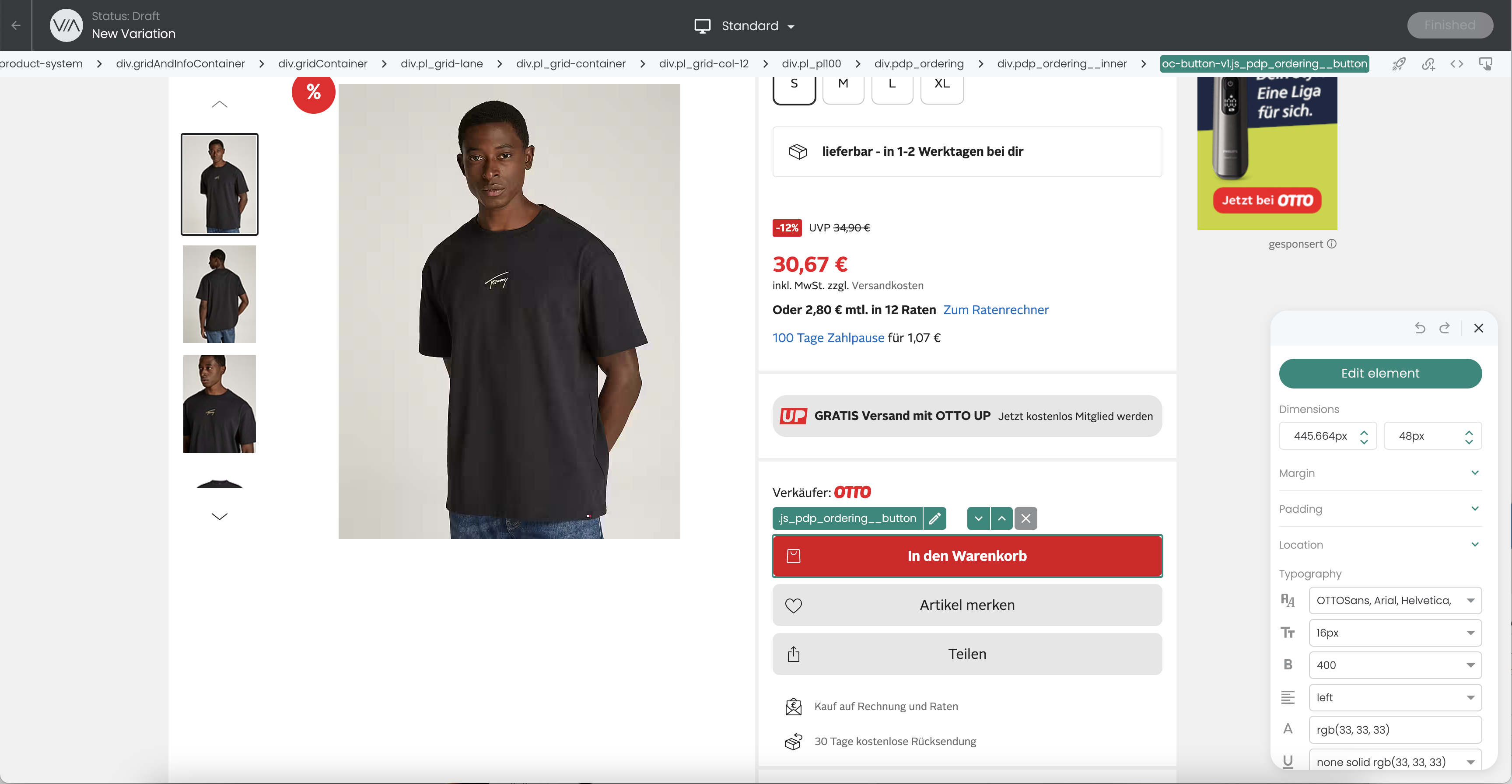
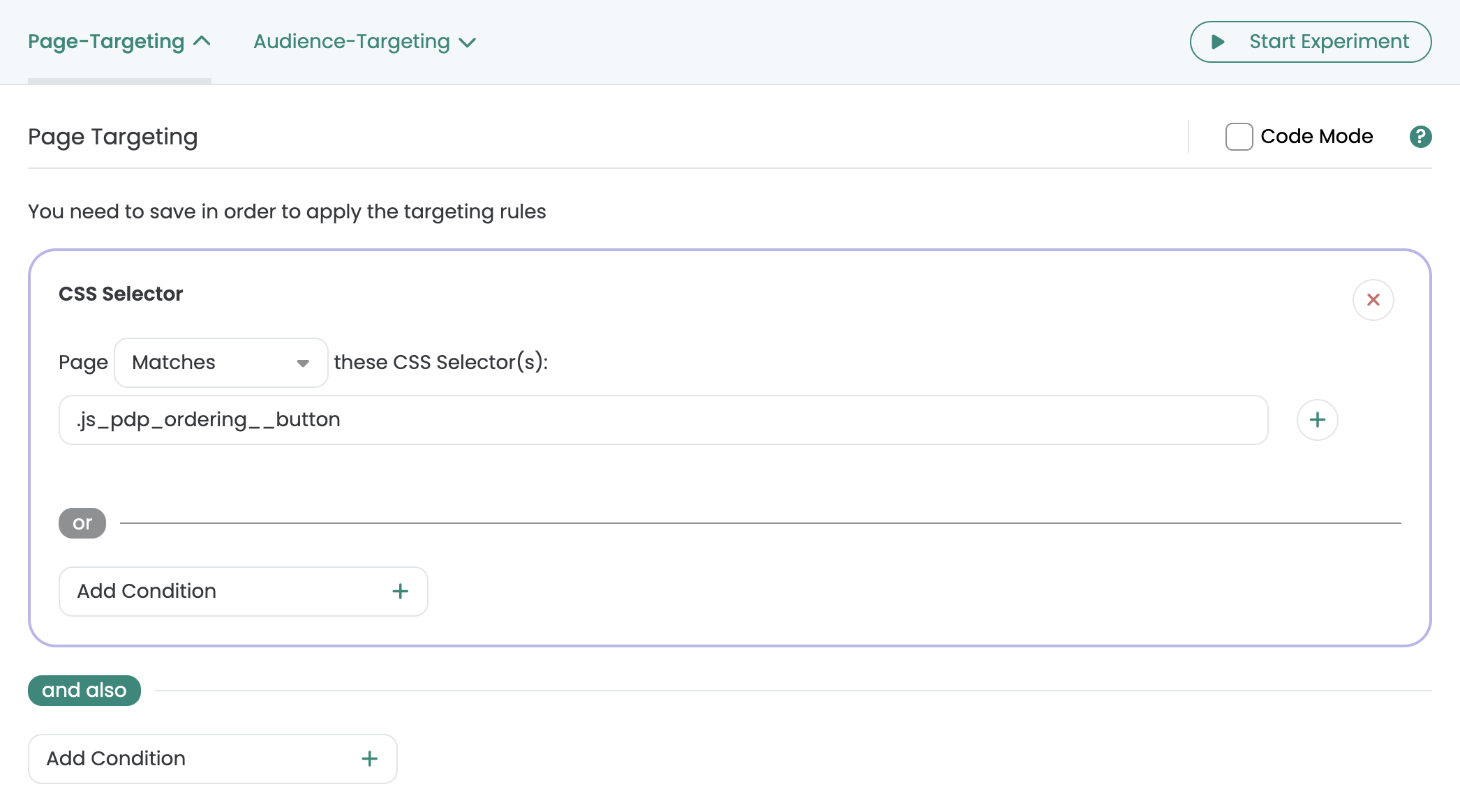
Only target pages or page types on which a specific element with a unique CSS selector is present. This is particularly helpful if pages cannot be reliably distinguished via URL rules. Example: You want to target all product detail pages of your store, but the URL structure does not contain a clear reference such as „/products/“. In this case, you can use an element that only appears on product detail pages, for example the „Add to cart“ button. You then store the CSS selector for this element in Page Targeting.
The easiest way to find a suitable CSS selector is directly in the visual Varify editor: Open a suitable page, click on the element that only appears on this page type and copy the CSS selector displayed. You can then insert this in Page Targeting under „CSS Selector“.
JavaScript
For more complex page targeting, you can use JavaScript. In this way, you can also search for any tags or attributes in the DOM of your website. JavaScript also allows you to check data from data layer variables.
Application example - Data layer entry
To target only users who have a certain parameter or a certain value in the data layer, you can navigate through the data layer. In the following example, only users who have previously viewed a specific product with ID 1111 or ID 2222 are targeted.
Code example - Data Layer Targeting
return dataLayer?.some(item => item?.ecommerce?.checkout?.products?.[0]?.id==='1111' || item?.ecommerce?.checkout?.products?.[0]?.id==='2222');
Advanced Settings
Cleanup Experiment on URL change
Websites that dynamically reload content - such as single page applications (SPAs) or online stores that offer several product variants on the product detail page - behave differently to traditional static pages. With static pages, all content is completely reloaded each time the URL is changed. With SPAs and similar dynamic websites, on the other hand, only the content that changes is updated.
Behavior with URL changes
By default, Varify performs a reset of the variant playout every time the URL is changed, i.e. all variations on the page are reset, the URL is checked again and all applicable variations for the new URL are reapplied.
Deactivation of the standard function
Deactivating the "Cleanup Experiment on URL change" function can be particularly useful on product pages in online stores where you can select different product variants such as colors. With such a selection, the URL may change to reflect the selected color. However, if there is a variation that relates to content that does not change (for example, the "Add to cart" button), it would not be desirable to delete and reapply this variation. This could lead to undesirable effects such as screen flickering.
Reapply Experiment on DOM Change
When the setting is activated, the DOM of the website is permanently monitored to ensure that the optimization of the variant remains active. If the optimization is overwritten by scripts or page elements of the website, the system detects this and reapplies the optimization. This can happen, for example, when filtering for certain product variants.
If the setting is deactivated, the optimization is only applied once - ongoing monitoring does not take place.