
Server-side A/B testing
Table of contents
In short
The server-side delivery API is aimed at in-house development teams who want to fully integrate A/B testing into their own infrastructure. Variants are assigned on the server side before the page is rendered and delivered - without any client-side JavaScript. This eliminates flickering, gives the development team full control over the implementation and makes testing possible in architectures where a classic client-side snippet does not work: Headless setups, server-side rendered applications or native mobile apps.
How it works
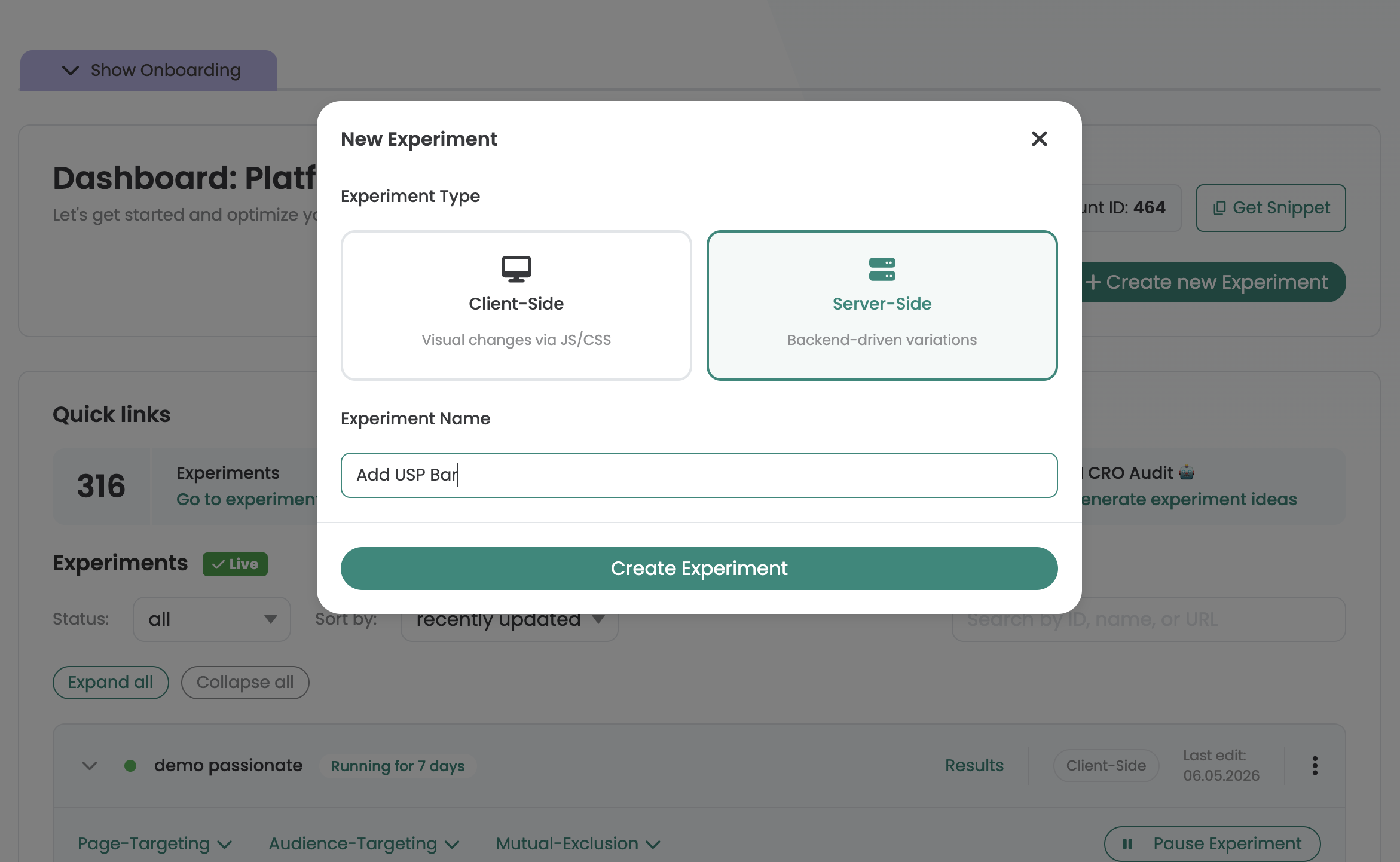
Create a new experiment in the Varify dashboard and select Server Side Experiment from.
You will then find the experiment in the dashboard and from there you can control the traffic distribution and start the experiment. There you will also find the Experiment ID and the Variation IDs, that you need for integration.
The integration runs via two API endpoints, which your development team integrates directly into the existing backend logic.
1. create user POST /ss/{teamId}/users
The first time a new visitor makes a request, a user is created via this endpoint. The API provides a userId (UUID), which your system must persist - for example in a cookie, a session or your database. This ID identifies the user for all future requests.
Response example:
					{
  "userId": "a9533ef0-bbc4-47a1-90b8-2f2d3bba43a3"
}
Call up 2nd variant GET /ss/{teamId}/experiments/{experimentId}/variations/{userId}
With the saved userId Use the saved UUID to query the assigned variant for a specific experiment. If no variant has yet been assigned, it will be assigned automatically the first time it is called up. The assignment is deterministic - the same user always receives the same variant for the same experiment, regardless of how often the endpoint is called.
Response example (user has been assigned a variant):
					{
  "variation": 48838,
  "tracking": {
    "experiment": {
      "id": 32596,
      "name": "Homepage CTA Test"
    },
    "variation": {
      "id": 48838,
      "name": "variation-1"
    }
  }
}
Response example (user receives the originals):
					{
  "variation": null,
  "tracking": {
    "experiment": {
      "id": 32596,
      "name": "Homepage CTA Test"
    },
    "variation": {
      "id": null,
      "name": null
    }
  }
}
The field variation contains either the ID of the assigned variation (e.g. 48838) - you can find these IDs in the Varify dashboard - or null, if the user has the Original variant should see. The tracking-object with experiment context is returned in both cases.
Your backend then uses the returned variation ID to decide which version of the page or content is rendered and delivered. To do this, map each variation ID to the corresponding rendering variant in your backend logic - null always means: show the original version.
The experiment configuration itself - target groups, traffic distribution, start and stop - can still be conveniently managed in the Varify dashboard.
3. Set up tracking
To ensure that the server experiment can be analyzed in the dashboard, the tracking-Block from the response from GET /ss/{teamId}/experiments/{experimentId}/variations/{userId} be integrated on the client side:
- The content of the
tracking-Object unchanged as JSON in a<script type="application/json" data-varify-tracking>Write the -tag in the rendered HTML. - Varify then automatically triggers the tracking functions—taking into account the user's consent status. This also applies when
varify.jsthe client-side is not involved in the test at all otherwise; a manualwindow.varify.setTracking(true)is not necessary for that. - If this step is omitted, only the experiment configuration will be visible in the dashboard—no evaluation data, since the Delivery API itself does not have an endpoint for reporting events.
Sample markup:
With the saved userId Use the saved UUID to query the assigned variant for a specific experiment. If no variant has yet been assigned, it will be assigned automatically the first time it is called up. The assignment is deterministic - the same user always receives the same variant for the same experiment, regardless of how often the endpoint is called.
Response example (user has been assigned a variant):
					<script type="application/json" data-varify-tracking>
{
  "experiment": {
    "id": 32596,
    "name": "Homepage CTA Test"
  },
  "variation": {
    "id": 48838,
    "name": "variation-1"
  }
}
</script>
If variation.id and variation.name null (original version), the block is still rendered—Varify then treats it as an original playback.
Developer documentation
The complete API reference (OpenAPI 3.1) with all endpoints, parameters and error codes for your development team: https://app.varify.io/ss/docs