Experiments and variants are not delivered or displayed
Table of contents
In short
If you're facing the issue that your experiment or variant isn't being displayed, there could be several reasons for this. In the following article, we'll show you how to get to the bottom of the problem.
If you're having trouble setting up your experiments in the visual editor, please visit the following Article.
Checking for Possible Causes If Your Experiment Isn't Displayed
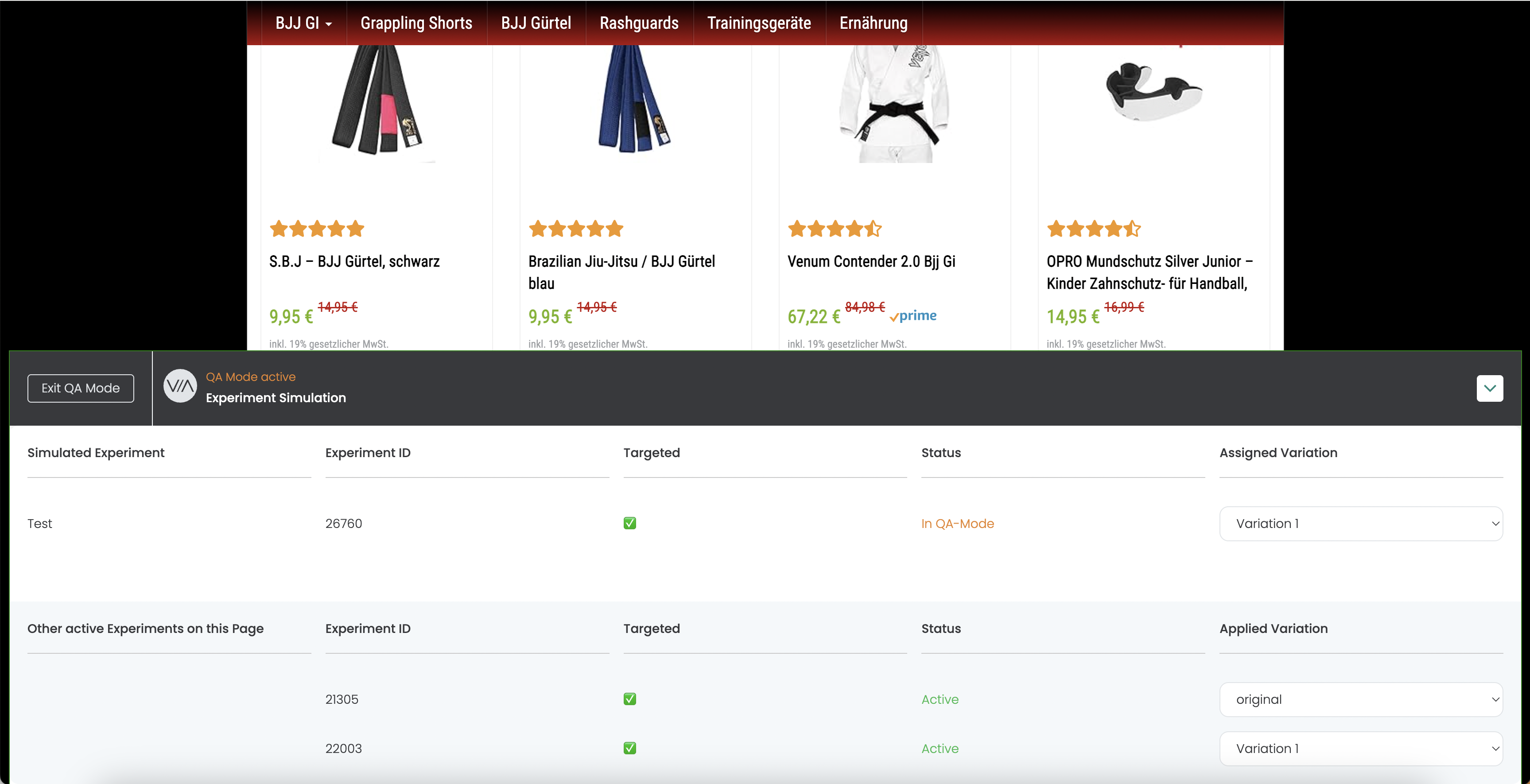
Now that you've successfully created your experiment, you should first go to the QA Mode Check whether your experiment and its variants are being delivered correctly. There are three possible causes for this.
1. The QA Mode modal does not appear
You clicked the „Force Variation“ link in the Varify Dashboard, and your website opened. If you don’t see a QA testing modal, first check to see if the „varify-force“ parameter is still visible in your URL.
If this parameter is missing, you were either redirected to another website, or your website automatically trims this parameter.
If this parameter is displayed, please check whether the Varify script is correctly embedded on your website and whether the correct account ID is referenced in your script. If this is the case, the Varify script is most likely being blocked by your CSP, ad blockers, or your network via VPN.
2. The targeting for your experiment does not apply
You'll see that the QA modal is loading, and a red „X“ appears next to your experiment's targeting. In most cases, this is because the Varify script on your website hasn’t been updated yet after you created or edited the experiment. This can take up to 2 minutes—please be patient in this case.
If you still don't see your experiment or variant after that, check the page and audience targeting settings for your experiment.

3. The targeting for your experiment is correct
The QA modal appears, and a green checkmark is displayed next to the targeting option for your experiment—but you still can't see your variant. First, check to see if your variant is selected in the dropdown. If not, switch to your variant.
If you still don't see your experiment after that, the variant code isn't being applied correctly. This could be because, for example, the selectors have changed following a website update. It’s also possible that the JavaScript code you created isn’t being applied correctly on the webpage—this happens especially with dynamically loaded webpages. In this case, it’s best to use the Varify Code Helper-Functions.