
Set up BigQuery cost control
Table of contents
In short
Setting up cost control is an important step when setting up a BigQuery project. This step should therefore not be skipped under any circumstances. Otherwise, costs may be incurred for the BigQuery project.
What costs may be incurred?
BigQuery is free to use to a certain extent, so there are no direct costs. Nevertheless, we strongly recommend that you create a Cost control to avoid surprises.
There are two types of costs when using BigQuery:
- StorageCosts for the space your data occupies.
- QueriesCosts for the amount of data that is processed during queries.
Cost overview and calculator from Google:
Google offers a transparent Cost overviewwhere you can view all fees. You can also use the Cost calculator estimate possible expenses in advance.
Free limits for Bigquery projects
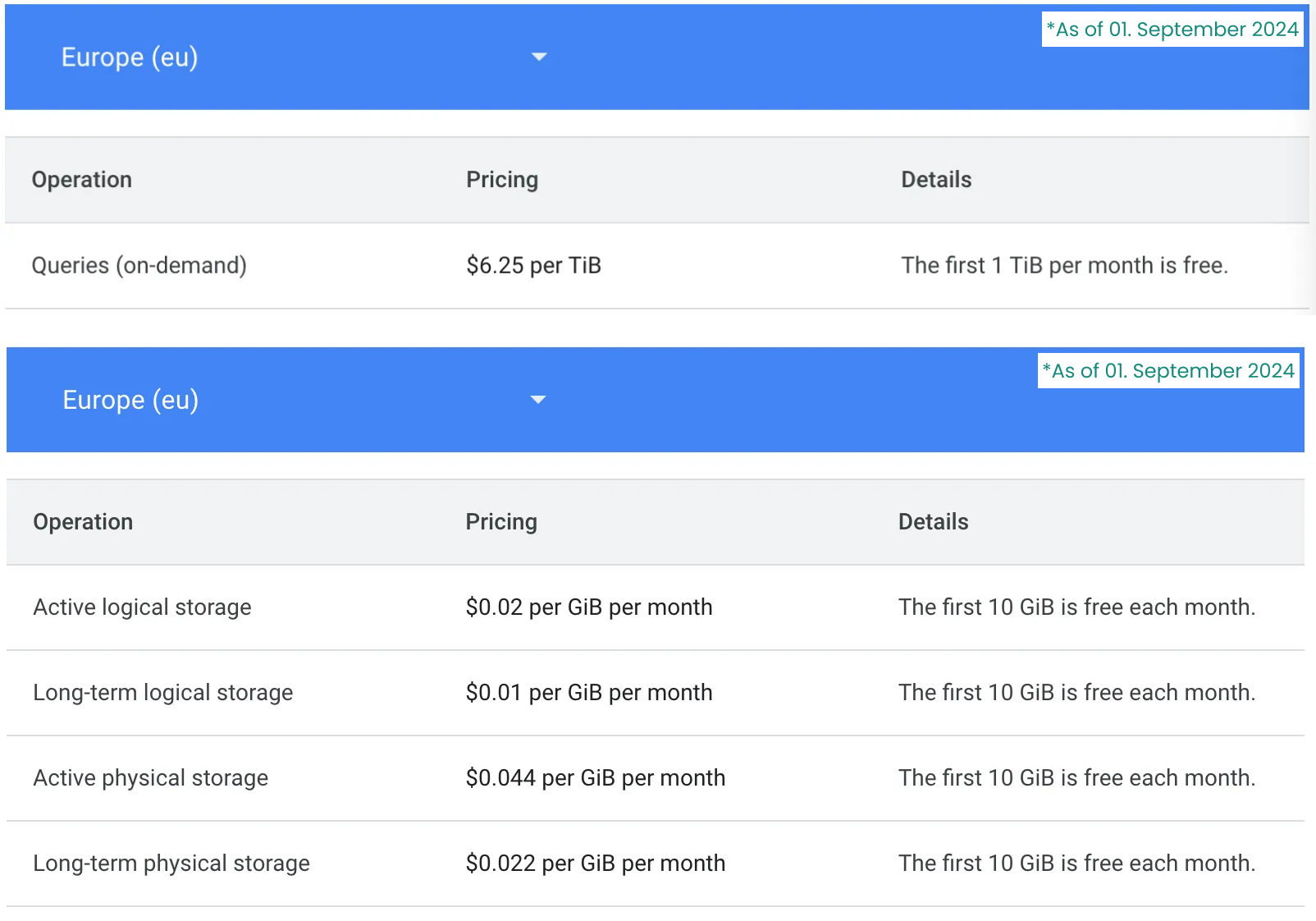
Certain limits apply for each month, up to which no costs are incurred. A decision is made here between the query costs and storage costs.
The following table shows the corresponding limits (as at September 1, 2024)
Setting up cost control
Limit query costs
Queries with BigQuery can cause higher costs. A BigQuery project has a query capacity of 1TiB free per month. The query capacity is not limited by default. It is therefore recommended to set up a cost control.
1. the required role in BQ is Project owner
Open the BigQuery project that you want to limit
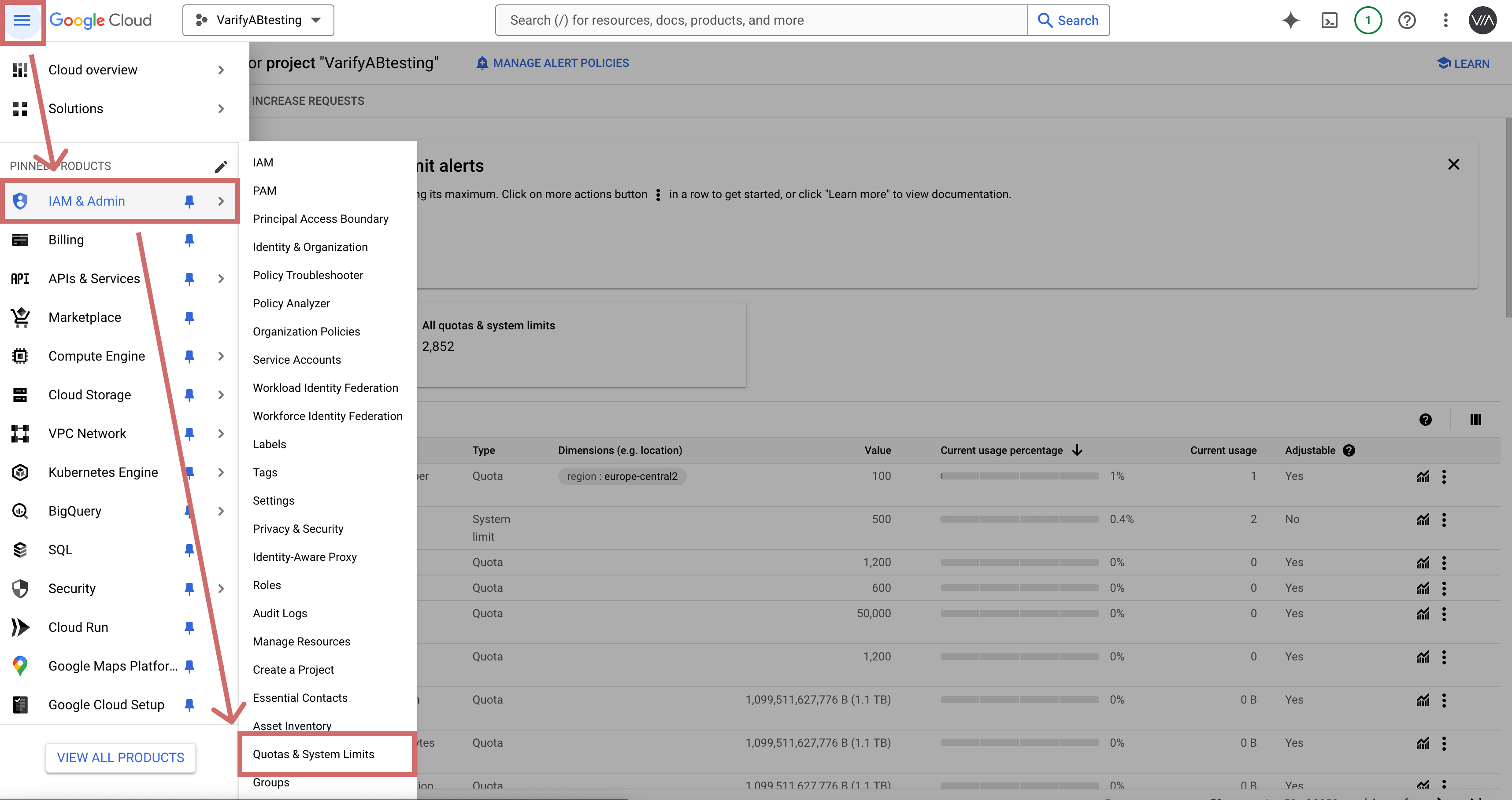
Click on the burger menu at the top left and select "IAM & ADMIN"
4. Next, select „Quotas & System Limits“ (Quotas & System Limits)
5. Search for the „BigQuery API“ service“
6. In the table, look for „Query usage per day“ in the Name column. The service should still be listed as „BigQuery API.“.
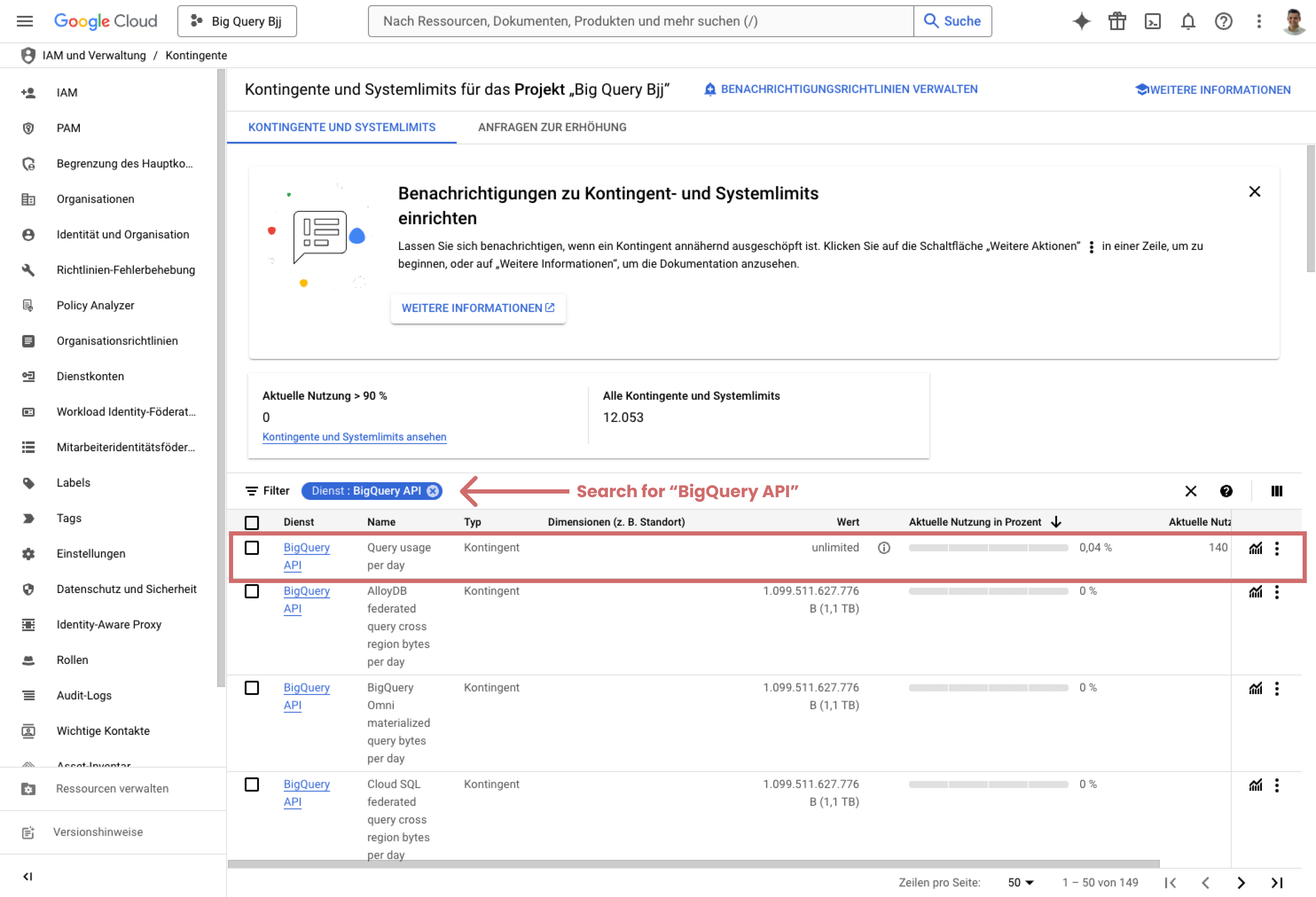
5. Search for the „BigQuery API“ service“
6. In the table, look for „Query usage per day“ in the Name column. The service should still be listed as „BigQuery API.“.
7. In the „Query usage per day“ row, click the three dots on the far right and select „Edit quota“
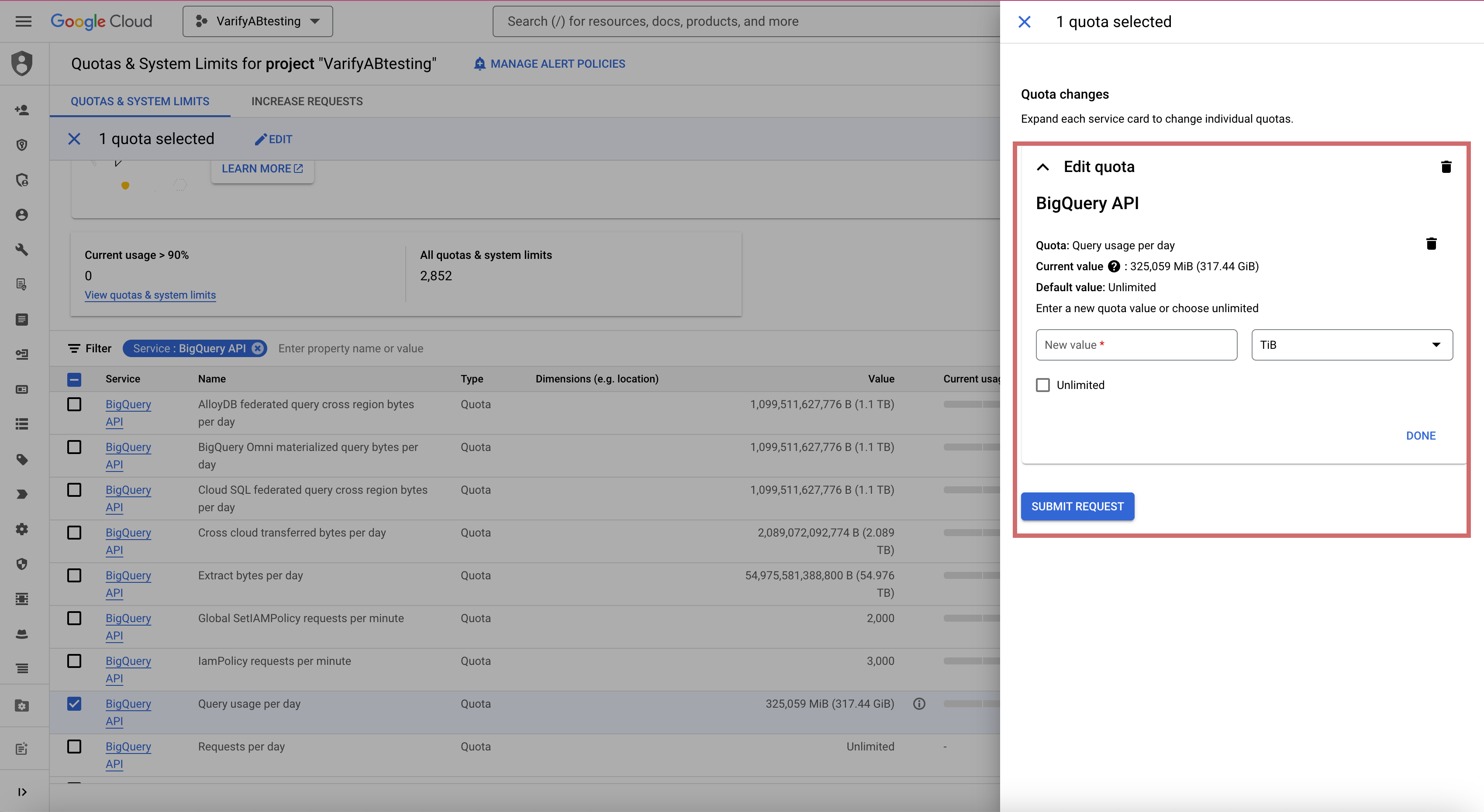
8. enter a new system limit in the field (enter in TiB). To stay within the free limit of 1 TiB per month, your project may process a maximum of 0.03 TiB per day.
Enter the value 0.03 Enter it in the field and click „Done.“.
9. Then click „Submit Request“
10. Check the table to make sure that the „Query usage per day“ row no longer says „unlimited“ but instead shows your new limit in MiB.
Limit storage costs
Define table sequence
These costs are incurred if you store more than 10GiB of data per month. Every day, the event and user data is exported from GA4 and saved. You can set a limit on how long your tables are stored. If your tables have an expiration date of 60 days, they will be deleted after 60 days.
Note: If you adjust the expiration date of the tables in your dataset, this will only apply to newly exported GA4 tables.
Reduce GA4 Export
Another method to keep the storage costs below the limit or low is to reduce the data export of the events in GA4. Here you exclude all events that you do not need for your evaluation.
The following events are mandatory for the evaluation of the experiments in Varify:
- session_start
- Each event that I want to evaluate (purchase, add_to_cart, etc.)